

HD Camera for Android

50M+
Installs
Mobile_V5
Developer
-
Video Players & Editors
Category
-
Rated for 3+
Content Rating
-
mobilev5.dev@gmail.com
Developer Email
-
https://mobv5privacy.ijoysoftconnect.com/camera/AppPrivacy.html
Privacy Policy
Screenshots
editor reviews
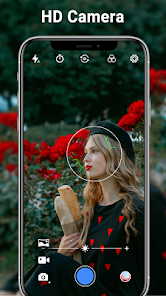
HD Camera is a photography app from Mobile_V5 that turns your phone's lens into something a bit more flexible than the default camera. It's one of those utility tools you grab when the stock camera feels too basic or lacks manual controls. People usually download it to unlock extra shooting modes like a selfie timer, voice-activated capture, or burst shots, all without paying a cent. The first time I opened it, the layout felt clean but busy — icons everywhere for settings, flash, and focus. It's free on Google Play and doesn't push ads in your face right away, which made the initial launch less annoying than some other free apps. No registration needed either, so you can start snapping photos in seconds.
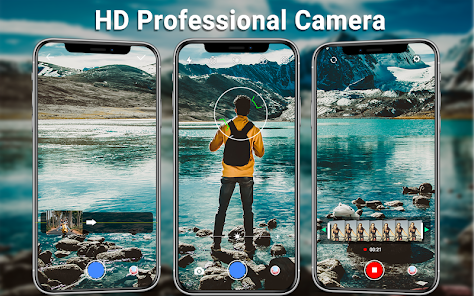
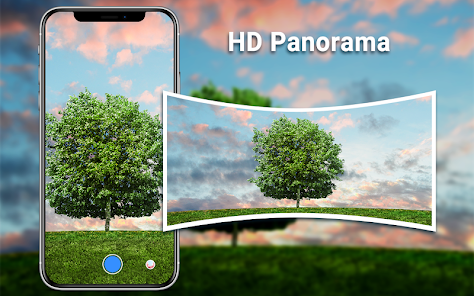
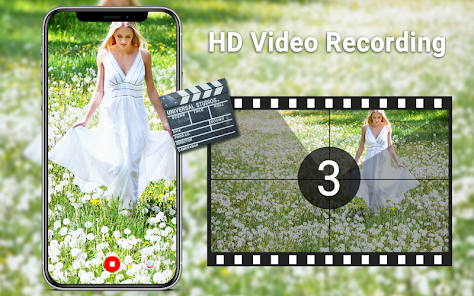
Using HD Camera feels straightforward once you get past the icon overload. The main screen shows a viewfinder with a big shutter button, and swiping left or right switches between photo, video, and panorama modes — a nice touch that beats digging through menus. I tested the voice command feature by saying "capture," and it worked well enough, though you have to speak clearly or it misses. Burst mode is easy: just hold the shutter and it fires off a bunch of shots, handy for moving subjects. One thing that tripped me up was the focus — tapping to focus works, but sometimes it locks onto the wrong spot and you have to re-tap. On the bright side, the app doesn't drain battery like some camera replacements, and it saves photos quickly without lag. A small tip: the selfie timer has a smile detection option that snaps automatically, which is perfect for group shots.
After playing with HD Camera for a week, I'd say it's a solid pick for anyone who wants extra control without going pro. If you just take quick snaps of your lunch, the stock camera is probably enough, but for things like action shots or hands-free photos, this app fills a gap. It's not as polished as something like Open Camera, which offers more manual settings, but HD Camera wins on simplicity and speed — no learning curve, just install and shoot. I've kept it installed for the burst mode alone, though I might uninstall if ads start popping up later. It's a decent tool for casual photographers who like having options, but not a must-have for everyone.
features
- 📸 Burst mode: HD Camera snaps photos continuously while you hold the shutter, which beats Google Camera's Top Shot that requires tapping after the fact to pick the best frame. This app just gives you all the shots at once, perfect for fast action like a dog running.
- 📸 Voice capture: Say "capture," "smile," or "shot," and the camera clicks automatically. Samsung Camera has voice control too, but it often requires loud or specific phrasing — HD Camera works with a calmer tone, making it more relaxed for group selfies.
- 📸 Timer with smile detection: You set a 3-second delay, then the app snaps when it detects a smile. iPhone's Camera can't do this without third-party apps, so it's a standout feature for avoiding awkward forced grins.
- 📸 Clean interface: Unlike Camera FV-5's cluttered sliders, HD Camera keeps adjustments like white balance and exposure in a simple side menu, so beginners aren't overwhelmed but still have control.
pros
- ✅ Easy setup: No sign-up or tutorial needed — launch it and start shooting, unlike VSCO which pushes an account creation first.
- ✅ Responsive shutter: The app snaps fast with minimal delay, beating stock camera apps on older phones that lag after pressing the button.
- ✅ Low resource hit: HD Camera uses less RAM than Snap Camera, so it doesn't slow down your phone during long photo sessions.
- ✅ Free with no forced upgrades: Unlike Camera+, basic features aren't locked behind a paywall — you get burst, timer, and voice all for $0.
cons
- ❌ Limited manual controls: You can't adjust ISO or shutter speed manually, so Open Camera beats it for anyone wanting pro-level tweaks.
- ❌ Occasional focus issues: The autofocus hunts in low light, unlike Google Camera which locks on faster with Night Sight.
- ❌ No HDR or night mode: Photos look flat in dark scenes compared to stock Samsung Camera, which brightens shadows automatically.
- ❌ Ads may creep in: After a few days, banner ads started showing at the bottom — annoying but not intrusive, yet other free apps like Footej Camera run ad-free.
Articles
![]()
Guide
How to Update Google Play Store on Android 2026
![]()
Guide
How to Download Older Versions of Android Apps
![]()
Guide
How to Download Apps Without Google Play Store
![]()
Guide
What Is an APK File for Android?
If you use an Android phone, you may have seen the term APK while searching for apps or games online. Some websites offer an APK download instead of a Google Play install button. Some users also mention APK files when talking about apps that are not available in their region, older app versions, or Android games downloaded outside the Play Store.
![]()
Guide
How to Install Games from Google Play for Beginners
Installing games on an Android phone is usually simple, but for beginners, the process can still feel confusing at first. You may not know where to search, which button to tap, whether the game is safe, or why Google Play sometimes asks for account settings, storage access, or payment information. If you are using an Android phone for the first time, learning how to install games from Google Play is one of the easiest ways to get started.
![]()
Guide
How Useful Gemini Is for Everyday Questions and Quick Tasks
emini feels different from many AI apps because it is not only trying to be a chatbot. After using it for everyday questions, quick writing, image understanding, and planning, I think its biggest strength is convenience.
![]()
Guide
What to Know Before Downloading APKs
For many Android users, downloading an APK is a common way to install apps and games. Sometimes an app is not available in a certain country.
![]()
Guide
ChatGPT Review: Is It Still the Best AI App in 2026?
![]()
Guide
Seedance 2.0 vs Sora: The Future of AI Video Generation
The AI video race has intensified dramatically over the past two years. Platforms like Sora from OpenAI and Luma Dream Machine pushed the boundaries of text-to-video realism. Yet, despite their impressive outputs, most tools still operate as probabilistic generators—you describe a scene, and the model interprets it. Control remains limited. With the February 2026 release of Seedance 2.0, developed by ByteDance, the paradigm shifted. Internally known as Jimeng 2.0, Seedance does not position itself as just another video model. It positions itself as an AI Director. Rather than guessing what you want, Seedance 2.0 allows you to direct what happens. This distinction defines everything that follows.









Recommended Apps
![]()
Home Design 3D
Anuman4.2
![]()
Truth or Dare Game - Party App
Chouic4.8
![]()
Photo Collage Maker
Scoompa4.7![]()
Learn to Draw Flower
Creative APPS4.2![]()
FIFA World Cup 2026™
FIFA2.8![]()
Mirror Plus: Mirror with Light
Digitalchemy, LLC4.4![]()
Meitu- Photo Editor & AI Art
Meitu (China) Limited4.5![]()
Perplexity - Ask Anything
PerplexityAI4.7![]()
GhostTube SLS Camera Alternate
GhostTube4![]()
Boom Chip Blast: 2-Player
Black Pyramid 3D Games Studio0![]()
Healthy Benefits+
Solutran, Inc.4.5![]()
Deepcheck AI Search Assistant
rohe.ai4![]()
Idol Prank Video Call & Chat
LightCode Solutions4![]()
Face Shape - Pretty Scale
GlintTec Apps3.9![]()
Plant App - Plant Identifier
ScaleUp4.6












































