
Neon Love Theme

50M+
Installs
Delicate theme for Android App
Developer
-
Productivity
Category
-
Rated for 3+
Content Rating
-
was.design.studio.theme.2008@gmail.com
Developer Email
-
https://wasdesignstudiotheme2008-82ce6.web.app/privacy-policy-en.html
Privacy Policy
Screenshots
editor reviews
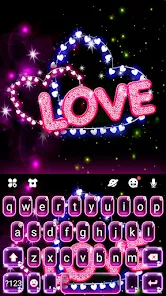
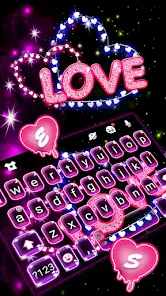
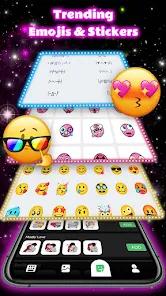
Neon Love Theme is a personalization app from Delicate Theme, falling squarely into the Android customization category. It lets you give your phone a flashy, vibrant makeover with a focus on romantic neon visuals. You download it from Google Play, install it, and then apply the theme through a third-party launcher like Launcher. The app itself is free to download, and after launching it, your first impression is likely a blast of bright pink and blue hues. The interface is straightforward, though you might need to hit an “Apply” button and follow a short tutorial if your phone's default launcher doesn't support it. It feels flashy and modern, designed for someone who wants to stand out.
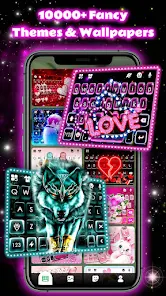
In everyday use, the app keeps things simple. Once installed, you open it and browse a gallery of preset themes, each featuring neon hearts, glowing text, and custom icons. Tapping one brings up a preview, and then you just hit “Apply” to set it as your current look. The actual hands-on experience is mostly smooth—the theme changes your wallpaper, icon pack, and sometimes even the lock screen. A small practical tip: the app works best on devices with AMOLED screens, since the deep blacks make the neon colors pop. During onboarding, you might notice some ads pop up, which can be a bit distracting, but they aren't too frequent. The launcher integration means you need to either use the built-in launcher or a compatible one like Nova, which adds an extra step for new users.
After using Neon Love Theme for a while, my personal judgment is mixed. It's great for teens or anyone who loves bold, romantic aesthetics and doesn't mind a bit of extra setup. If you prefer a clean, minimalist look, this isn't for you. Compared to apps like Zedge or Walli, which offer more variety in wallpapers, this one is laser-focused on a specific neon love vibe. It feels fun for a few weeks, but the novelty wears off fast. You might keep it installed if you enjoy changing themes often, but I can see uninstalling it once the flashy look gets old. It's a niche app that does its job, but it doesn't offer the same depth or polish as bigger competitors.
features
- 💖 Neon Love Theme offers a highly focused set of romantic neon visuals, making it instantly recognizable. In contrast, Zedge provides a vast library of wallpapers and ringtones, but you have to dig through a lot of generic content to find something with this specific vibe. The curated theme packs here save browsing time.
- 💖 Its integration with third-party launchers is a standout feature. Other apps like Theme DIY work only with specific launchers or have limited customization. Here, you can pair it with Nova or Action Launcher for deeper control, which gives more flexibility than you get with locked-in designs.
- 💖 The icon pack is fully redesigned with neon borders and heart shapes, which is a rare find. Most free icon packs on Google Play, such as CandyCons, are colorful but not thematically cohesive. This app ties everything—icons, wallpaper, and widgets—into one love-themed package, creating a uniform look.
pros
- 👍 The free availability is a big plus. Zedge offers free content but relies heavily on ads, whereas Neon Love Theme has fewer ad interruptions during the theme application process. You get a cohesive redesign without spending money.
- 👍 The AMOLED-friendly dark backgrounds save battery on compatible screens. Apps like Walli have bright wallpapers that drain more power, so this is a practical win for heavy phone users who like dark modes.
- 👍 The theme pack is complete—changing one setting updates icons, wallpapers, and lock screen elements in one tap. This beats apps like Backgrounds HD, where you have to manually set each element, saving time and effort.
cons
- 👎 The reliance on third-party launchers is a hassle. Zedge works directly with your stock launcher without extra steps, making it more beginner-friendly. Here, you must install a separate launcher first, which can confuse casual users.
- 👎 The customization options are limited—you cannot tweak individual elements like icon size or color. Theme DIY allows more granular adjustments, so if you want control over the look, this app feels restrictive.
- 👎 The theme selection is narrow, focusing only on neon love styles. For instance, Walli offers thousands of different art genres from various artists. After a few days, the same bright hearts and pink tones can feel repetitive, lacking variety.
Articles
![]()
Guide
How to Update Google Play Store on Android 2026
![]()
Guide
How to Download Older Versions of Android Apps
![]()
Guide
How to Download Apps Without Google Play Store
![]()
Guide
What Is an APK File for Android?
If you use an Android phone, you may have seen the term APK while searching for apps or games online. Some websites offer an APK download instead of a Google Play install button. Some users also mention APK files when talking about apps that are not available in their region, older app versions, or Android games downloaded outside the Play Store.
![]()
Guide
How to Install Games from Google Play for Beginners
Installing games on an Android phone is usually simple, but for beginners, the process can still feel confusing at first. You may not know where to search, which button to tap, whether the game is safe, or why Google Play sometimes asks for account settings, storage access, or payment information. If you are using an Android phone for the first time, learning how to install games from Google Play is one of the easiest ways to get started.
![]()
Guide
How Useful Gemini Is for Everyday Questions and Quick Tasks
emini feels different from many AI apps because it is not only trying to be a chatbot. After using it for everyday questions, quick writing, image understanding, and planning, I think its biggest strength is convenience.
![]()
Guide
What to Know Before Downloading APKs
For many Android users, downloading an APK is a common way to install apps and games. Sometimes an app is not available in a certain country.
![]()
Guide
ChatGPT Review: Is It Still the Best AI App in 2026?
![]()
Guide
Seedance 2.0 vs Sora: The Future of AI Video Generation
The AI video race has intensified dramatically over the past two years. Platforms like Sora from OpenAI and Luma Dream Machine pushed the boundaries of text-to-video realism. Yet, despite their impressive outputs, most tools still operate as probabilistic generators—you describe a scene, and the model interprets it. Control remains limited. With the February 2026 release of Seedance 2.0, developed by ByteDance, the paradigm shifted. Internally known as Jimeng 2.0, Seedance does not position itself as just another video model. It positions itself as an AI Director. Rather than guessing what you want, Seedance 2.0 allows you to direct what happens. This distinction defines everything that follows.









Recommended Apps
![]()
Home Design 3D
Anuman4.2
![]()
Truth or Dare Game - Party App
Chouic4.8
![]()
Photo Collage Maker
Scoompa4.7![]()
Learn to Draw Flower
Creative APPS4.2![]()
FIFA World Cup 2026™
FIFA2.8![]()
Mirror Plus: Mirror with Light
Digitalchemy, LLC4.4![]()
Meitu- Photo Editor & AI Art
Meitu (China) Limited4.5![]()
Perplexity - Ask Anything
PerplexityAI4.7![]()
GhostTube SLS Camera Alternate
GhostTube4![]()
Boom Chip Blast: 2-Player
Black Pyramid 3D Games Studio0![]()
Healthy Benefits+
Solutran, Inc.4.5![]()
Deepcheck AI Search Assistant
rohe.ai4![]()
Idol Prank Video Call & Chat
LightCode Solutions4![]()
Face Shape - Pretty Scale
GlintTec Apps3.9![]()
Plant App - Plant Identifier
ScaleUp4.6












































