
DaVinci - AI Image Generator

1M+
Installs
HubX
Developer
-
Generative AI
Category
-
Rated for 7+
Content Rating
-
info@hubx.co
Developer Email
-
https://davinci.ai/privacy
Privacy Policy
Screenshots
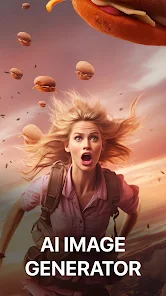
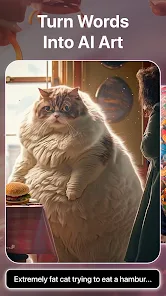
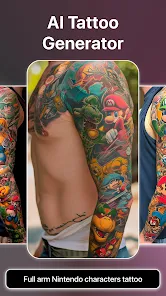
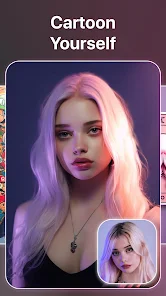
editor reviews
DaVinci - AI Image Generator is a mobile app that turns text prompts into AI-generated artwork, belonging to the growing category of generative AI tools on smartphones. You can use it to create everything from realistic portraits and fantasy landscapes to abstract designs and digital paintings, just by typing what you have in mind. I stumbled upon it while browsing the Google Play Store, and with over 10 million downloads and a solid 4.5-star rating, it seemed worth a try. The app is free to download and install, though it includes optional in-app purchases and occasional ads. My first impression after launching it was pretty strong — the interface looks modern and polished, with a sleek dark theme that immediately sets an artistic mood. No registration is required to start, which felt refreshing, and I dove straight into generating images within seconds.
Getting hands-on with DaVinci is straightforward. The main screen shows a simple text bar where you type your idea, like "a cyberpunk cat in neon rain," and hit generate. The onboarding is smooth — a quick tutorial points out the key buttons without overwhelming you. I noticed the app offers various artistic styles like cinematic, anime, and oil painting, which you can toggle before generating. The generation itself takes about 10 to 15 seconds, and the results are surprisingly detailed. However, I found that the free tier gives you a limited number of daily credits, so after a few creations, you either wait or consider an in-app purchase. One small tip: sticking with clear, descriptive prompts works much better than vague phrases. The interface is generally intuitive, though I occasionally wished for a simpler way to remix or edit an existing image without starting from scratch.
After using DaVinci for a couple of weeks, I think it is a solid choice for casual creators who want quick, visually pleasing AI art without needing a desktop setup. It stands out for its speed and polished output, especially compared to apps like Dream by Wombo, which often feel more cartoonish. That said, serious artists or those who need precise control might find the free credit system restrictive and prefer tools like Midjourney or Stable Diffusion on desktop. I can see myself keeping DaVinci installed for when I need a burst of inspiration or a fun visual for social media, but I might uninstall it if the ads become too frequent or if the credit cap gets too tight. Overall, it is a fun app with real utility, but its long-term value depends on how often you are willing to pay or tolerate limits.
features
- 🎨 Text-to-Image Generation: DaVinci turns your typed prompts into detailed images in about 10-15 seconds. Compared to Midjourney, which requires a Discord account and desktop access, this app offers a much quicker, mobile-friendly workflow. The output resolution is decent for social media sharing, though not as high as Midjourney's pro tier.
- 🖌️ Style Presets: You can choose from presets like cinematic, anime, oil painting, and sketch before generating. This gives more control than apps like Dream by Wombo, which often produce a uniform, over-processed look. The anime presets are especially sharp, making it easy to create consistent character art.
- ⚡ One-Tap Variations: After an image is generated, you can quickly create variations with a single tap. This feature is more streamlined than most mobile AI tools, which usually force you to re-enter or tweak the prompt manually. It is handy for exploring different compositions without extra typing.
pros
- 👍 Speedy generation: Images appear within seconds, much faster than using Stable Diffusion on a phone. For someone on a commute, this speed is a big plus.
- 👍 Clean, dark-themed UI: The interface feels premium and uncluttered, making it easier to focus on creative work compared to apps like Dream by Wombo, which can feel cluttered with ads.
- 👍 No login required: You can start using the app immediately without signing up or linking accounts, a privacy advantage over many similar tools.
- 👍 Decent free trial: You get enough daily credits to experiment thoroughly before deciding on a purchase.
cons
- 👎 Daily credit cap: Free users are limited to a small number of daily generations. This feels restrictive compared to apps like Leonardo AI, which offers more generous free usage.
- 👎 No image-to-image feature: Unlike Midjourney or Stable Diffusion, you cannot upload an existing photo and edit it. This limits creative remixing.
- 👎 Occasional ads: Ads pop up after generation, which can disrupt the creative flow. Some competitors like Dream by Wombo have fewer interruptions.
- 👎 Limited resolution options: You cannot choose high-resolution outputs in the free version, which is disappointing for users printing or using images professionally.
Articles
![]()
Guide
How to Update Google Play Store on Android 2026
![]()
Guide
How to Download Older Versions of Android Apps
![]()
Guide
How to Download Apps Without Google Play Store
![]()
Guide
What Is an APK File for Android?
If you use an Android phone, you may have seen the term APK while searching for apps or games online. Some websites offer an APK download instead of a Google Play install button. Some users also mention APK files when talking about apps that are not available in their region, older app versions, or Android games downloaded outside the Play Store.
![]()
Guide
How to Install Games from Google Play for Beginners
Installing games on an Android phone is usually simple, but for beginners, the process can still feel confusing at first. You may not know where to search, which button to tap, whether the game is safe, or why Google Play sometimes asks for account settings, storage access, or payment information. If you are using an Android phone for the first time, learning how to install games from Google Play is one of the easiest ways to get started.
![]()
Guide
How Useful Gemini Is for Everyday Questions and Quick Tasks
emini feels different from many AI apps because it is not only trying to be a chatbot. After using it for everyday questions, quick writing, image understanding, and planning, I think its biggest strength is convenience.
![]()
Guide
What to Know Before Downloading APKs
For many Android users, downloading an APK is a common way to install apps and games. Sometimes an app is not available in a certain country.
![]()
Guide
ChatGPT Review: Is It Still the Best AI App in 2026?
![]()
Guide
Seedance 2.0 vs Sora: The Future of AI Video Generation
The AI video race has intensified dramatically over the past two years. Platforms like Sora from OpenAI and Luma Dream Machine pushed the boundaries of text-to-video realism. Yet, despite their impressive outputs, most tools still operate as probabilistic generators—you describe a scene, and the model interprets it. Control remains limited. With the February 2026 release of Seedance 2.0, developed by ByteDance, the paradigm shifted. Internally known as Jimeng 2.0, Seedance does not position itself as just another video model. It positions itself as an AI Director. Rather than guessing what you want, Seedance 2.0 allows you to direct what happens. This distinction defines everything that follows.









Recommended Apps
![]()
Home Design 3D
Anuman4.2
![]()
Truth or Dare Game - Party App
Chouic4.8
![]()
Photo Collage Maker
Scoompa4.7![]()
Learn to Draw Flower
Creative APPS4.2![]()
FIFA World Cup 2026™
FIFA2.8![]()
Mirror Plus: Mirror with Light
Digitalchemy, LLC4.4![]()
Meitu- Photo Editor & AI Art
Meitu (China) Limited4.5![]()
Perplexity - Ask Anything
PerplexityAI4.7![]()
GhostTube SLS Camera Alternate
GhostTube4![]()
Boom Chip Blast: 2-Player
Black Pyramid 3D Games Studio0![]()
Healthy Benefits+
Solutran, Inc.4.5![]()
Deepcheck AI Search Assistant
rohe.ai4![]()
Idol Prank Video Call & Chat
LightCode Solutions4![]()
Face Shape - Pretty Scale
GlintTec Apps3.9![]()
Plant App - Plant Identifier
ScaleUp4.6












































