
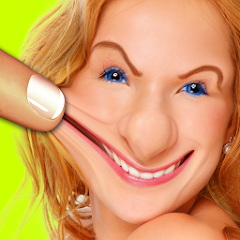
Warp My Face: Fun Photo Editor

5M+
Installs
Kaufcom Games Apps Widgets
Developer
-
Video Players & Editors
Category
-
Rated for 12+
Content Rating
-
info@kauf.com
Developer Email
-
http://www.kauf.com/cgi-bin/privacy_policy.pl
Privacy Policy
Screenshots
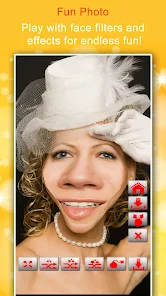
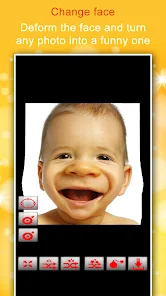

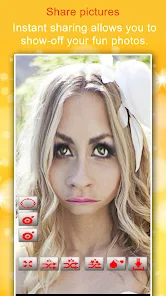
editor reviews
Warp My Face is a photo editing app that falls squarely into the novelty and entertainment category. It lets you take any selfie or portrait and distort it with various effects, making your nose huge, your eyes pop out, or your chin look like a cartoon character's. You mainly use it for a quick laugh—sharing goofy pictures with friends or creating silly profile images. The app sits quietly in your Google Play or App Store search results, and with an install count that suggests a decent following, it's free to download. You don't need to register an account to start, which is a relief, but there are some in-app purchases for extra effect packs and occasional banner ads that pop up. When you first launch it, the screen throws up a simple camera interface with a "Choose from Gallery" button, so the first impression is straightforward: point, click, and twist your face into something ridiculous.
Using Warp My Face is pretty hands-on and a bit of a mess in a fun way. After you pick a photo from your camera roll, you're greeted with a toolbar at the bottom that lists effects like "Bloat," "Twirl," "Pucker," and "Melt." The main action starts when you tap on an effect—a grid appears over your face, and you just drag your finger across the area you want to warp. For example, if you want a giant forehead, you pick "Expand" and swipe upward. The app processes the distortion live, so you see the change immediately. A smooth moment is how responsive the touch controls are; it's almost like playing with digital clay that molds under your finger. A confusing moment comes when you accidentally hit two effects at once—the face can glitch out into a rainbow of stretched pixels, and the undo button is not very forgiving. A practical tip: use a simple selfie with a clear background, because complex patterns make the warping look messy. Daily use would involve picking an effect, adjusting the intensity with a slider, and saving the result to your gallery to share.
After spending a few days warping my own face and some friends' photos, I've got a mixed take on this app. People who love quick, silly gags and don't mind a bit of low-resolution fun will enjoy it—think of it as a less polished but more chaotic version of something like FaceApp's age filter, but focused on distortion. If you need professional editing or clean-looking results, you should probably avoid it; the output can be jagged and pixelated. What makes it different from similar apps like "Face Warp" or "Photo Warp" is that it leans heavily into the playful side with effects that feel like digital slapstick, so it's less about beauty and more about laughter. I could see someone keeping it installed for parties or when they're bored, but uninstalling it eventually because the novelty wears off and the ads become annoying. It's a solid distraction, not a tool.
features
- 🔄 Face-Alive Warp Technology: Unlike Photo Lab's static filters, Warp My Face animates the distortion in real-time as you drag your finger, giving you interactive clay-like control rather than just a button press.
- 🎭 20+ Distortion Effects: You get "Melt," "Twirl," "Bloat," and "Stretch" options that are more extreme than Snapchat's lenses, which often restrict tweaking to preset faces. Here, you can warp any spot on the photo.
- 📸 Gallery and Camera Integration: It borrows a photo simply from your gallery or shoots a new one instantly, skipping the fussy album permissions that Meitu struggles with during onboarding.
- 🛠️ Manual Intensity Slider: Each effect comes with a slider that adjusts the warp's strength, a feature missing in simpler apps like “Face Warp,” where you're stuck with one fixed distortion level.
pros
- ✅ No Account Required: You don't need to sign up or hand over an email, unlike FaceApp which pushes you to create a profile. This cuts down the friction for a quick laugh.
- ✅ Instant Sharing: The app lets you export straight to Instagram, WhatsApp, and other messengers within one tap, while some rivals like "Photo Edit Pro" bury the share button behind three menus.
- ✅ Light Download Size: It's a small file (around 20MB) compared to bloated editors like PicsArt, so it won't eat up storage on a budget phone.
cons
- ❌ No Undo History: Once you apply three different warps, you can't backtrack step by step, which is frustrating when you mess up. Apps like YouCam Perfect allow full undo layers here.
- ❌ Low-Resolution Output: The final saved image often looks pixelated and jagged, especially compared to FaceApp's sharp compressions. You lose quality if you try to enlarge it.
- ❌ Frequent Ad Pop-ups: Free version slaps banner ads during editing and video ads after saving, interrupting your flow, while older apps like "Photo Warp" keep ads only in the menu area.
- ❌ Limited Effect Variety: It only focuses on face distortion, so if you want background changes or text overlays, you'll need a separate app like Canva. This narrow scope can make it feel incomplete quickly.
Articles
![]()
Guide
How to Update Google Play Store on Android 2026
![]()
Guide
How to Download Older Versions of Android Apps
![]()
Guide
How to Download Apps Without Google Play Store
![]()
Guide
What Is an APK File for Android?
If you use an Android phone, you may have seen the term APK while searching for apps or games online. Some websites offer an APK download instead of a Google Play install button. Some users also mention APK files when talking about apps that are not available in their region, older app versions, or Android games downloaded outside the Play Store.
![]()
Guide
How to Install Games from Google Play for Beginners
Installing games on an Android phone is usually simple, but for beginners, the process can still feel confusing at first. You may not know where to search, which button to tap, whether the game is safe, or why Google Play sometimes asks for account settings, storage access, or payment information. If you are using an Android phone for the first time, learning how to install games from Google Play is one of the easiest ways to get started.
![]()
Guide
How Useful Gemini Is for Everyday Questions and Quick Tasks
emini feels different from many AI apps because it is not only trying to be a chatbot. After using it for everyday questions, quick writing, image understanding, and planning, I think its biggest strength is convenience.
![]()
Guide
What to Know Before Downloading APKs
For many Android users, downloading an APK is a common way to install apps and games. Sometimes an app is not available in a certain country.
![]()
Guide
ChatGPT Review: Is It Still the Best AI App in 2026?
![]()
Guide
Seedance 2.0 vs Sora: The Future of AI Video Generation
The AI video race has intensified dramatically over the past two years. Platforms like Sora from OpenAI and Luma Dream Machine pushed the boundaries of text-to-video realism. Yet, despite their impressive outputs, most tools still operate as probabilistic generators—you describe a scene, and the model interprets it. Control remains limited. With the February 2026 release of Seedance 2.0, developed by ByteDance, the paradigm shifted. Internally known as Jimeng 2.0, Seedance does not position itself as just another video model. It positions itself as an AI Director. Rather than guessing what you want, Seedance 2.0 allows you to direct what happens. This distinction defines everything that follows.









Recommended Apps
![]()
Home Design 3D
Anuman4.2
![]()
Truth or Dare Game - Party App
Chouic4.8
![]()
Photo Collage Maker
Scoompa4.7![]()
Learn to Draw Flower
Creative APPS4.2![]()
FIFA World Cup 2026™
FIFA2.8![]()
Mirror Plus: Mirror with Light
Digitalchemy, LLC4.4![]()
Meitu- Photo Editor & AI Art
Meitu (China) Limited4.5![]()
Perplexity - Ask Anything
PerplexityAI4.7![]()
GhostTube SLS Camera Alternate
GhostTube4![]()
Boom Chip Blast: 2-Player
Black Pyramid 3D Games Studio0![]()
Healthy Benefits+
Solutran, Inc.4.5![]()
Deepcheck AI Search Assistant
rohe.ai4![]()
Idol Prank Video Call & Chat
LightCode Solutions4![]()
Face Shape - Pretty Scale
GlintTec Apps3.9![]()
Plant App - Plant Identifier
ScaleUp4.6












































