

BabyGenerator Guess baby face

5M+
Installs
DBAI
Developer
-
Parenting
Category
-
Rated for 3+
Content Rating
-
datnguyenvan844@gmail.com
Developer Email
-
https://dbai-com.github.io/babygenerator/privacy_policy/
Privacy Policy
Screenshots
editor reviews
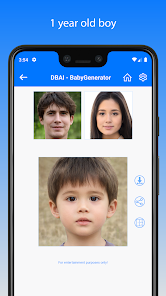
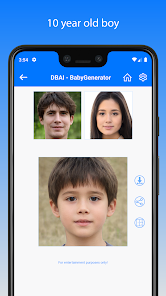
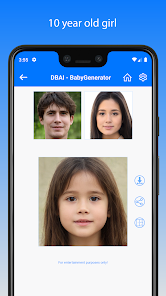
BabyGenerator Guess Baby Face is a playful photo manipulation app that predicts what a baby might look like based on uploaded photos of two people. You snap or upload pictures of two individuals—usually a couple—and the app uses its AI to morph their facial features into a simulated baby face. It's one of those novelty apps that people download out of curiosity, maybe for a laugh with their partner or to entertain friends. On Google Play, it shows over a million installs and is free to download, though you'll run into ads and prompts for in-app purchases if you want to save or share the generated image without a watermark. When I first launched it, the interface felt pretty basic—like a tool someone threw together quickly. The loading screen took a few seconds, and I was hit with a full-screen ad before I could even tap anything. Not the smoothest first impression, but the core idea hooked me enough to try it out.
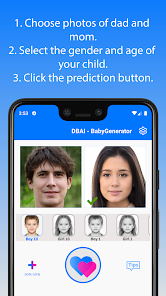
Using the app is straightforward but not very polished. You pick two photos from your gallery or take new ones, making sure faces are clear and centered—the app gives a brief tip about this. After selecting both, you hit a "Generate" button and wait maybe 10 to 20 seconds. The results vary: sometimes the generated face looks like a believable blend, other times it comes out distorted or weirdly proportioned, like a creepy doll. I tried it with a couple of friends' photos, and while some outputs were surprisingly cute, others had odd shadows or mismatched skin tones. The free version limits you to a few tries per day unless you watch an ad or pay up. A handy tip: crop your photos tight around the faces before uploading—it improves the morphing noticeably. Overall, the experience feels more like a gimmick than a serious tool, but it's not totally disappointing if you go in expecting fun over accuracy.
After messing with it for a while, I'd say BabyGenerator is best for casual entertainment—like at a party or as a silly gift for expecting parents, though don't take the results seriously. It doesn't replace a real ultrasound or genetics, obviously. People who want polished, consistent results might find it frustrating, especially with the ads and paywalls. Compared to similar apps like FaceApp or Remini, BabyGenerator feels much more limited—FaceApp offers tons of editing features, while this one only does one specific trick. What keeps it installed on my phone is the novelty factor; I've shown it to friends and gotten laughs, even when the baby faces looked hilariously off. But honestly, after a week, the entertainment wears thin, and the ads start to annoy. I can see uninstalling it once the curiosity fades.
features
- The main appeal is the AI baby face generator—you upload two photos, and it merges them into a simulated infant face. Compared to FaceApp, which has a similar aging or gender swap feature, BabyGenerator focuses purely on this one scenario, making it more niche but less versatile for general editing.
- It offers daily free tries, which is nice for casual users. For example, you get maybe three or four free generations per day before you need to watch ads or pay. That's more generous than some apps that lock everything behind a paywall right away, like many specialized photo tools.
- The app includes a gallery and share option, so you can save generated images locally or send them directly to friends via messaging apps. This makes it easy to share laughs, though the free version slaps a watermark on saved images—similar to how many free apps handle exports.
- Another feature is the ability to use live photos from the camera instead of just existing images. This gives a bit more spontaneity, like snapping a quick pic at a gathering rather than digging through old albums, which feels more interactive than apps that rely solely on uploads.
pros
- Easy to use interface—you don't need any editing skills. Just pick two photos and tap generate. Compared to FaceApp, which has a cluttered menu with dozens of filters, BabyGenerator keeps it simple, which is good for quick laughs.
- Free basic access—no forced subscription to try it out. Plenty of similar apps, like BabyMaker AI, immediately push a premium plan, but this one lets you test a few times without paying.
- Fun for social settings—it's great for breaking the ice at parties. The generated baby faces can be hilarious or cute, sparking conversations in a way that more serious editing apps don't.
cons
- Inconsistent AI results—many outputs look distorted or unrealistic. Competing apps like Remini or FaceApp produce smoother, more believable morphs because they have better-trained models.
- Too many ads—you face a full-screen ad every time you generate or try to save. Free apps like Snapchat's baby filter offer a similar idea with much less interruption.
- Limited free tries—after a few daily uses, you're stuck watching videos or paying. Other apps, like BabyMaker, sometimes offer unlimited free low-quality generations, which feels more generous.
- Watermark on free exports—if you want a clean image, you must pay or watch an ad. In contrast, some similar apps let you save without a mark after just watching a single ad, not a double burden.
Articles
![]()
Guide
How to Update Google Play Store on Android 2026
![]()
Guide
How to Download Older Versions of Android Apps
![]()
Guide
How to Download Apps Without Google Play Store
![]()
Guide
What Is an APK File for Android?
If you use an Android phone, you may have seen the term APK while searching for apps or games online. Some websites offer an APK download instead of a Google Play install button. Some users also mention APK files when talking about apps that are not available in their region, older app versions, or Android games downloaded outside the Play Store.
![]()
Guide
How to Install Games from Google Play for Beginners
Installing games on an Android phone is usually simple, but for beginners, the process can still feel confusing at first. You may not know where to search, which button to tap, whether the game is safe, or why Google Play sometimes asks for account settings, storage access, or payment information. If you are using an Android phone for the first time, learning how to install games from Google Play is one of the easiest ways to get started.
![]()
Guide
How Useful Gemini Is for Everyday Questions and Quick Tasks
emini feels different from many AI apps because it is not only trying to be a chatbot. After using it for everyday questions, quick writing, image understanding, and planning, I think its biggest strength is convenience.
![]()
Guide
What to Know Before Downloading APKs
For many Android users, downloading an APK is a common way to install apps and games. Sometimes an app is not available in a certain country.
![]()
Guide
ChatGPT Review: Is It Still the Best AI App in 2026?
![]()
Guide
Seedance 2.0 vs Sora: The Future of AI Video Generation
The AI video race has intensified dramatically over the past two years. Platforms like Sora from OpenAI and Luma Dream Machine pushed the boundaries of text-to-video realism. Yet, despite their impressive outputs, most tools still operate as probabilistic generators—you describe a scene, and the model interprets it. Control remains limited. With the February 2026 release of Seedance 2.0, developed by ByteDance, the paradigm shifted. Internally known as Jimeng 2.0, Seedance does not position itself as just another video model. It positions itself as an AI Director. Rather than guessing what you want, Seedance 2.0 allows you to direct what happens. This distinction defines everything that follows.









Recommended Apps
![]()
Home Design 3D
Anuman4.2
![]()
Truth or Dare Game - Party App
Chouic4.8
![]()
Photo Collage Maker
Scoompa4.7![]()
Learn to Draw Flower
Creative APPS4.2![]()
FIFA World Cup 2026™
FIFA2.8![]()
Mirror Plus: Mirror with Light
Digitalchemy, LLC4.4![]()
Meitu- Photo Editor & AI Art
Meitu (China) Limited4.5![]()
Perplexity - Ask Anything
PerplexityAI4.7![]()
GhostTube SLS Camera Alternate
GhostTube4![]()
Boom Chip Blast: 2-Player
Black Pyramid 3D Games Studio0![]()
Healthy Benefits+
Solutran, Inc.4.5![]()
Deepcheck AI Search Assistant
rohe.ai4![]()
Idol Prank Video Call & Chat
LightCode Solutions4![]()
Face Shape - Pretty Scale
GlintTec Apps3.9![]()
Plant App - Plant Identifier
ScaleUp4.6












































