

Ritmo: Face Aging Editor

1M+
Installs
Faceplay Reface Face Swap Video Editor
Developer
-
Video Players & Editors
Category
-
Rated for 3+
Content Rating
-
zhongxinweb2021@outlook.com
Developer Email
-
http://resource.zhongxwx.com/ritmo_gp/privacy.html
Privacy Policy
Screenshots

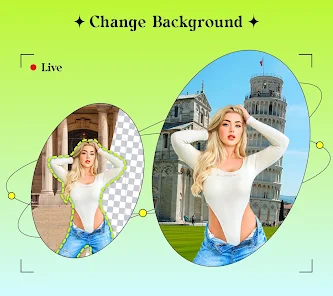
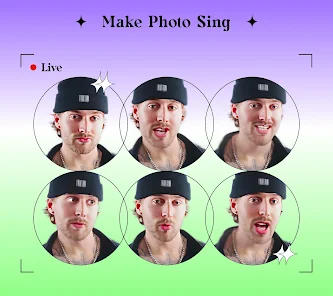
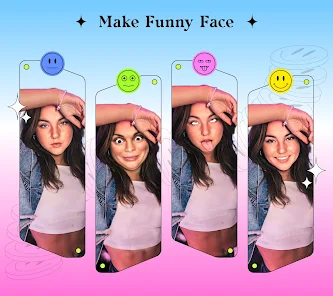
editor reviews
Ritmo: Face Aging Editor is a photo manipulation app that falls squarely into the face-swapping and AI-editing genre, right alongside stuff like Reface or FaceApp. You basically upload a selfie, and the app uses AI to show you what you'd look like older, younger, or with different gender filters. It's one of those apps you download out of curiosity after seeing a friend post a “me at 80” photo on social media. After installing it from the Google Play store—where it has accumulated over 10 million downloads and is free to install—my first impression was mixed. The app launches with a flashy intro screen and a clear “Get Started” button, but immediately pushes you toward a subscription before you can even try a single filter. There's no forced account registration, which is nice, but you do have to sit through a few seconds of ads unless you pay up. The UI feels crowded, like they're trying to sell you something every step of the way.
Once you get past the initial upsell and actually start using Ritmo, the hands-on experience is surprisingly straightforward for a first-timer. You tap the camera icon to load a photo from your gallery, and within a couple of seconds, the app scans the face and applies an “aging” filter that wrinkles your skin and adds gray hair. The onboarding is minimal—there's no tutorial—so I just tapped random buttons to figure things out. The main action is swiping left or right on the bottom carousel to preview different age stages, like 40, 60, or 80 years old. The results look decent for a free app, but the face sometimes warps around the jawline, which is jarring. A practical tip: hold the phone steady when taking a selfie inside the app, because curly or bushy hair can confuse the AI and make the edges look fake. The speed is acceptable, but I noticed the app froze once when I tried to apply a gender swap filter right after an age one.
After using Ritmo for a few days, I'd say it's a fun novelty, but not something you'll keep installed for long unless you really enjoy sending aging selfies to friends. It's perfect for someone who wants a quick laugh at a party or to create a viral social media post, but if you're looking for polished, pro-level editing like what you get with Snapseed or Adobe Lightroom, this isn't it. Compared to FaceApp, Ritmo feels cheaper—the ad frequency is higher, and the filter quality is less consistent, especially on side profiles or group photos. The free version restricts you to a few filters and forces a watermark, so you'll likely uninstall after a week. I kept it for the novelty of showing friends what they'd look like as the opposite gender, but the constant ads and subscription prompts made me delete it eventually. It's a decent time-waster, but not a keeper.
features
- 💡 Smart Aging Swipe: Ritmo lets you swipe horizontally to instantly toggle between different age stages (20, 40, 60, 80) without reloading your photo. FaceApp requires you to select each filter manually from a list, which feels slower. This single gesture makes experimenting effortless.
- 💡 Built-in Morph Animation: You can generate a short video clip of your selfie morphing from a young to old version, which is perfect for sharing on TikTok or Instagram. Reface offers something similar, but only for face-swapping onto existing videos, not for creating original morphs from static photos.
- 💡 Gender Swap in One Tap: The app includes a gender transformation filter that works alongside the aging tools, so you can see a male version of a female face or vice versa. In FaceApp, this feature is locked behind a yearly subscription, while Ritmo gives you a few free tries before prompting the premium tier.
- 💡 Minimalist Onboarding: There's no forced sign-up or tutorial, which let me jump straight into editing. Competing apps like YouCam Perfect often nag you to create an account first, making Ritmo feel more accessible for quick, one-off use.
pros
- 🌟 Better Free Tier: Ritmo offers more free filters than FaceApp, which hides most age effects behind a paywall. I could try 5-6 variations without paying, whereas FaceApp only let me preview one.
- 🌟 No Watermark on Free Edits: Unlike Reface, which stamps a large “Reface” logo on every free video, Ritmo only adds a small, less intrusive label that can be cropped out easily.
- 🌟 Quick Sharing: The app has direct sharing buttons for Instagram and WhatsApp, saving me a step. Other apps make you save the photo first, then open the social app manually.
- 🌟 Low Storage Footprint: At under 50 MB, it's lighter than FaceApp's 200 MB, so it downloads faster and doesn't hog phone space for a joke app I'll use only a few times.
cons
- ⚠️ Constant Ads: Every time you apply a filter, you're hit with a 15-second video ad unless you pay for the subscription. FaceApp has ads too, but they appear less frequently, only after every 3-4 edits.
- ⚠️ Poor Profile Handling: Ritmo struggles with non-frontal faces. If your photo shows even a slight head turn, the aging effect distorts the nose or eyes. Reface, in contrast, tracks 3D face mesh better and handles angles decently.
- ⚠️ Limited Free Filters: After the first few tries, most filters lock behind the premium plan. You're left with just the basic “young” and “old” options, while free GAN-based editors like Pixlr offer more variety without payment.
- ⚠️ No Batch Editing: You can't apply an effect to multiple photos at once, which is a bummer for group projects. FaceApp allows batch saving of recent edits, saving time when you want to process a full album.
Articles
![]()
Guide
How to Update Google Play Store on Android 2026
![]()
Guide
How to Download Older Versions of Android Apps
![]()
Guide
How to Download Apps Without Google Play Store
![]()
Guide
What Is an APK File for Android?
If you use an Android phone, you may have seen the term APK while searching for apps or games online. Some websites offer an APK download instead of a Google Play install button. Some users also mention APK files when talking about apps that are not available in their region, older app versions, or Android games downloaded outside the Play Store.
![]()
Guide
How to Install Games from Google Play for Beginners
Installing games on an Android phone is usually simple, but for beginners, the process can still feel confusing at first. You may not know where to search, which button to tap, whether the game is safe, or why Google Play sometimes asks for account settings, storage access, or payment information. If you are using an Android phone for the first time, learning how to install games from Google Play is one of the easiest ways to get started.
![]()
Guide
How Useful Gemini Is for Everyday Questions and Quick Tasks
emini feels different from many AI apps because it is not only trying to be a chatbot. After using it for everyday questions, quick writing, image understanding, and planning, I think its biggest strength is convenience.
![]()
Guide
What to Know Before Downloading APKs
For many Android users, downloading an APK is a common way to install apps and games. Sometimes an app is not available in a certain country.
![]()
Guide
ChatGPT Review: Is It Still the Best AI App in 2026?
![]()
Guide
Seedance 2.0 vs Sora: The Future of AI Video Generation
The AI video race has intensified dramatically over the past two years. Platforms like Sora from OpenAI and Luma Dream Machine pushed the boundaries of text-to-video realism. Yet, despite their impressive outputs, most tools still operate as probabilistic generators—you describe a scene, and the model interprets it. Control remains limited. With the February 2026 release of Seedance 2.0, developed by ByteDance, the paradigm shifted. Internally known as Jimeng 2.0, Seedance does not position itself as just another video model. It positions itself as an AI Director. Rather than guessing what you want, Seedance 2.0 allows you to direct what happens. This distinction defines everything that follows.









Recommended Apps
![]()
Home Design 3D
Anuman4.2
![]()
Truth or Dare Game - Party App
Chouic4.8
![]()
Photo Collage Maker
Scoompa4.7![]()
Learn to Draw Flower
Creative APPS4.2![]()
FIFA World Cup 2026™
FIFA2.8![]()
Mirror Plus: Mirror with Light
Digitalchemy, LLC4.4![]()
Meitu- Photo Editor & AI Art
Meitu (China) Limited4.5![]()
Perplexity - Ask Anything
PerplexityAI4.7![]()
GhostTube SLS Camera Alternate
GhostTube4![]()
Boom Chip Blast: 2-Player
Black Pyramid 3D Games Studio0![]()
Healthy Benefits+
Solutran, Inc.4.5![]()
Deepcheck AI Search Assistant
rohe.ai4![]()
Idol Prank Video Call & Chat
LightCode Solutions4![]()
Face Shape - Pretty Scale
GlintTec Apps3.9![]()
Plant App - Plant Identifier
ScaleUp4.6











































