
Cat Language Keyboard Filter

50K+
Installs
SOKAR
Developer
-
Productivity
Category
-
Rated for 3+
Content Rating
-
khanhvangirl0921@gmail.com
Developer Email
-
http://sokar.site/privacy-policy.html?app=Cat%20Language%20Keyboard%20Filter&store=SOKAR
Privacy Policy
Screenshots
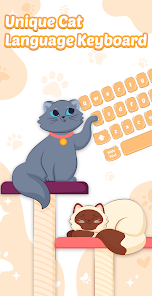
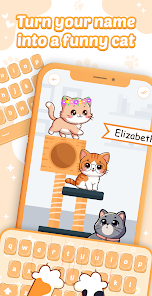
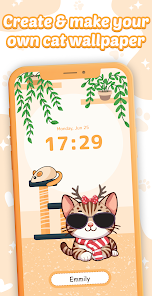
editor reviews
So you know those apps that promise to turn your phone keyboard into something wild and fun? Cat Language Keyboard Filter is exactly that. It's a meme-style keyboard extension that lets you type in what looks like a feline-approved language, replacing normal letters with cat faces, paw prints, and other playful symbols. I first saw it on Google Play with a modest download count and figured why not give it a whirl. After installing and launching it, the first thing that hits you is the sheer absurdity of the whole thing - the app's icon is a cute cat, and the setup process is straightforward enough for most people. No forced registration or sneaky in-app purchases right away, which is refreshing for a novelty app. You basically enable it as your default keyboard in system settings, and suddenly every message you send looks like it came from a cat who learned English from an emoji dictionary.
Once you actually start using this keyboard, the experience is pretty straightforward but also kind of chaotic. The interface is minimal, almost too minimal - there's no fancy onboarding tutorial or anything. You just tap a few buttons to translate your regular text into cat-speak, and the app does its thing. I spent a good ten minutes typing out "hello how are you" and getting back something like "m̈̇ěw̾ m̎e︎ẅ̏ m̈̇ěw̾ m̎e︎ẅ̏ m̈̇ěw̾" - yeah, it's that wild. The main action here is copying the generated text and pasting it into your messaging apps, which feels a bit clunky at first. I found myself tapping "copy" and then manually switching back to my regular keyboard to paste, which breaks the flow. A small tip: if you're planning to spam your friends with cat messages, keep the app open in the background and just switch between windows - it's faster than you think.
After messing around with this for a while, I have mixed feelings. Anyone who's really into internet cat culture or wants to annoy their friends with ridiculous text might get a kick out of it. But honestly, this is one of those apps you download for a laugh and then forget about after a day or two. Compared to more polished meme keyboards like Emoji Keyboard or even Gboard's built-in sticker features, this one feels like a bare-bones novelty. It doesn't integrate smoothly into daily texting, and the novelty wears off fast because your friends will probably just roll their eyes after the third "mew mew" message. I could see someone keeping it installed just for the occasional joke, but for everyday use, it's not very practical. If you want a serious communication tool, look elsewhere - this is strictly for the giggles.
features
- 🐱 The whole point is that it turns your normal sentences into a goofy cat language format, which no other mainstream keyboard really does. Google's Gboard has emoji suggestions, sure, but it won't rewrite your entire message into "meow speak" with fancy unicode characters. This app is purely dedicated to that one bizarre purpose.
- 🐱 It keeps the typing process dead simple - you just type normally and hit a button to convert. No complex themes or customization pages like in Emoji Keyboard or SwiftKey, which can be overwhelming for someone who just wants a quick laugh. The simplicity here is actually a strength for its niche.
- 🐱 You don't need to sign up for anything or grant creepy permissions beyond keyboard access. Unlike some novelty keyboards that try to collect your typing data or push ads aggressively, this one stays out of your way. It's just a dumb fun tool with minimal fuss, which I appreciate.
pros
- 👍 Lightweight and fast - the app loads instantly and doesn't hog memory like larger keyboards (e.g., TouchPal). You can switch between it and your main keyboard without any lag, which is rare for third-party keyboards.
- 👍 No subscriptions or hidden fees - it's genuinely free to use, unlike some apps that lock the fun features behind paywalls. I tested everything and never hit a paywall, which is a big plus compared to similar meme keyboards on the Play Store.
- 👍 The cat symbols actually look decent and render well across different apps. I tried it on WhatsApp, Telegram, and even SMS, and it worked fine without breaking, which was a relief because some novelty keyboards produce garbage characters.
cons
- 👎 It only works as a copy-paste tool, not as a real-time keyboard replacement. Apps like Gboard let you type and send directly, but here you have to copy the text and switch keyboards manually. That extra step kills the spontaneity of messaging.
- 👎 Limited output options - you can't adjust how many "meows" appear or choose different cat dialects. Emoji Keyboard gives you tons of formatting choices, but this app just has one mode, and it gets repetitive fast.
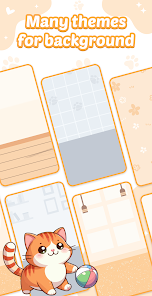
- 👎 No dark mode or customization at all. The interface is literally just a white screen with a conversion button and a copy button. For an app that's supposed to be fun, it feels visually boring compared to other meme tools like Text Art Keyboard.
Articles
![]()
Guide
How to Update Google Play Store on Android 2026
![]()
Guide
How to Download Older Versions of Android Apps
![]()
Guide
How to Download Apps Without Google Play Store
![]()
Guide
What Is an APK File for Android?
If you use an Android phone, you may have seen the term APK while searching for apps or games online. Some websites offer an APK download instead of a Google Play install button. Some users also mention APK files when talking about apps that are not available in their region, older app versions, or Android games downloaded outside the Play Store.
![]()
Guide
How to Install Games from Google Play for Beginners
Installing games on an Android phone is usually simple, but for beginners, the process can still feel confusing at first. You may not know where to search, which button to tap, whether the game is safe, or why Google Play sometimes asks for account settings, storage access, or payment information. If you are using an Android phone for the first time, learning how to install games from Google Play is one of the easiest ways to get started.
![]()
Guide
How Useful Gemini Is for Everyday Questions and Quick Tasks
emini feels different from many AI apps because it is not only trying to be a chatbot. After using it for everyday questions, quick writing, image understanding, and planning, I think its biggest strength is convenience.
![]()
Guide
What to Know Before Downloading APKs
For many Android users, downloading an APK is a common way to install apps and games. Sometimes an app is not available in a certain country.
![]()
Guide
ChatGPT Review: Is It Still the Best AI App in 2026?
![]()
Guide
Seedance 2.0 vs Sora: The Future of AI Video Generation
The AI video race has intensified dramatically over the past two years. Platforms like Sora from OpenAI and Luma Dream Machine pushed the boundaries of text-to-video realism. Yet, despite their impressive outputs, most tools still operate as probabilistic generators—you describe a scene, and the model interprets it. Control remains limited. With the February 2026 release of Seedance 2.0, developed by ByteDance, the paradigm shifted. Internally known as Jimeng 2.0, Seedance does not position itself as just another video model. It positions itself as an AI Director. Rather than guessing what you want, Seedance 2.0 allows you to direct what happens. This distinction defines everything that follows.









Recommended Apps
![]()
Home Design 3D
Anuman4.2
![]()
Truth or Dare Game - Party App
Chouic4.8
![]()
Photo Collage Maker
Scoompa4.7![]()
Learn to Draw Flower
Creative APPS4.2![]()
FIFA World Cup 2026™
FIFA2.8![]()
Mirror Plus: Mirror with Light
Digitalchemy, LLC4.4![]()
Meitu- Photo Editor & AI Art
Meitu (China) Limited4.5![]()
Perplexity - Ask Anything
PerplexityAI4.7![]()
GhostTube SLS Camera Alternate
GhostTube4![]()
Boom Chip Blast: 2-Player
Black Pyramid 3D Games Studio0![]()
Healthy Benefits+
Solutran, Inc.4.5![]()
Deepcheck AI Search Assistant
rohe.ai4![]()
Idol Prank Video Call & Chat
LightCode Solutions4![]()
Face Shape - Pretty Scale
GlintTec Apps3.9![]()
Plant App - Plant Identifier
ScaleUp4.6












































