
Face Mashup Challenge

1M+
Installs
GjangHa
Developer
-
Entertainment
Category
-
Rated for 3+
Content Rating
-
gjangha021213@gmail.com
Developer Email
-
https://gianghastudio.online/policy
Privacy Policy
Screenshots
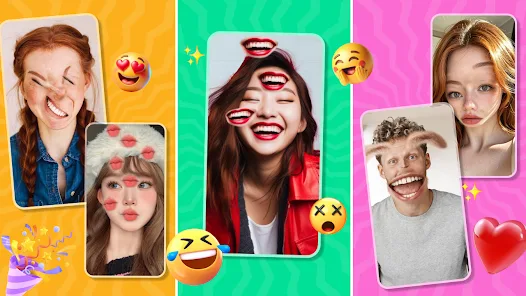
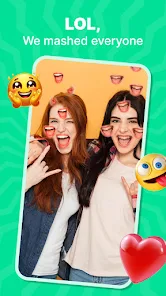

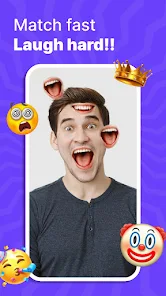
editor reviews
Face Mashup Challenge is this wild little app from GjangHa that's basically a photo editing toy, but way more specific. It lets you take two faces—like from your camera roll or a quick snap—and mash them together into one weird hybrid face. You download it for free from the Play Store or App Store, and the first thing that hits you after launching it is how straightforward it looks. No clutter, no login screen, just a button to pick photos. For a normal user, the appeal is obvious: you see a friend's face blended with a celebrity's or your own face turned into something goofy, and you instantly want to share it. The install count isn't massive, so it feels like a niche find, not some bloated mainstream app.
Once you start using it, the experience is pretty hands-on. You pick two photos, and the app uses some kind of blending algorithm to merge features like eyes, nose, and jawline into one composite image. The interface is basic—almost too basic—with just a few sliders to adjust the blend level and alignment. Onboarding is nonexistent; you just tap around until you figure out that you need to line up the faces roughly before hitting the merge button. It's not always smooth, sometimes the alignment feels off, and you have to retake or reposition photos. A practical tip: use well-lit, front-facing shots for the best results. Common usage steps involve picking a selfie, picking another selfie, sliding the blend bar, and then either saving or sharing. It's fun for a few minutes, but the lack of tutorials or filters makes you feel like you're doing all the work.
After using it for a while, I'd say this app is for people who enjoy quick, silly photo edits without any serious expectations. It's not for someone looking to make polished memes or professional composites. Compared to apps like FaceApp or Photo Lab, Face Mashup Challenge feels more raw and less feature-packed. What sets it apart is how direct it is—no ads pushing premium filters or subscriptions right away. But that also means you get fewer tools, like no background removal or skin smoothing. I kept it installed for a week just to laugh at the weird results with friends, but I uninstalled it later because it felt repetitive. It's a one-trick pony, but if that trick makes you smile, it's worth a download.
features
- 🧩 Blending Core: The main hook is that you can blend two faces into one composite. It uses a basic algorithm to merge facial features, which feels more raw and experimental than something like FaceApp's polished filters. You adjust the blend with a simple slider, and the result is often uneven but genuinely fun to mess around with.
- 📸 No Login Policy: Unlike many photo apps that force a sign-up or push a subscription, this one stays offline. You pick photos, mash them, and save them. It's a refreshing contrast to apps like Picsart that throw account creation at you immediately.
- 🔄 Manual Alignment Focus: Instead of auto-detecting faces perfectly, it gives you manual control to line up features. This can be annoying, but it also lets you experiment with weird placements, like swapping eyes or stretching jaws, which you can't do easily in apps like FaceLite.
- 💾 Direct Save & Share: After mashing, you can save directly to your gallery or share to social apps without watermarks. That's rare for a free tool. Compared to Remini, which locks high-res exports behind a paywall, this keeps things open and quick.
pros
- 🔓 Completely Free to Use: No in-app purchases, no subscription pop-ups. Most mashup apps like Face Blender have a free version that limits exports or adds watermarks, but this one gives you the full output without asking for money.
- 🖼️ Offline Operation: You don't need an internet connection to use it. That's a big plus compared to cloud-based apps like FaceApp, which slow down or fail without a good connection. It works right from your gallery.
- ⚙️ Simple Controls: The interface is barebones, which some might call a weakness, but it's also a strength for quick use. Unlike PhotoDirector with its complex layers, you can open this app and make a mashup in 30 seconds without reading a manual.
cons
- ⚠️ No Editing Refinements: You can't smooth skin, fix lighting, or adjust color after the blend. Apps like FaceApp let you tweak details, but here, once you mash, that's it. You're stuck with the raw, often glitchy output.
- ❌ Lack of Templates or Presets: There are no starter images or fun frames. Compared to apps like Photo Lab, which has hundreds of effects, this feels empty after a few tries. You're forced to bring your own photos every time.
- 📏 Inconsistent Alignment: The manual alignment isn't always precise, especially if photos have different angles or lighting. FaceApp's auto-detection does a much better job with varied inputs, so this app can be frustrating if you're not patient.
- 🔇 No Undo or Version History: If you mess up the blend, you can't go back a step. You have to start over with fresh photos. Most editing tools have undo buttons, but this app lacks basic recovery, making it feel unfinished.
Articles
![]()
Guide
How to Update Google Play Store on Android 2026
![]()
Guide
How to Download Older Versions of Android Apps
![]()
Guide
How to Download Apps Without Google Play Store
![]()
Guide
What Is an APK File for Android?
If you use an Android phone, you may have seen the term APK while searching for apps or games online. Some websites offer an APK download instead of a Google Play install button. Some users also mention APK files when talking about apps that are not available in their region, older app versions, or Android games downloaded outside the Play Store.
![]()
Guide
How to Install Games from Google Play for Beginners
Installing games on an Android phone is usually simple, but for beginners, the process can still feel confusing at first. You may not know where to search, which button to tap, whether the game is safe, or why Google Play sometimes asks for account settings, storage access, or payment information. If you are using an Android phone for the first time, learning how to install games from Google Play is one of the easiest ways to get started.
![]()
Guide
How Useful Gemini Is for Everyday Questions and Quick Tasks
emini feels different from many AI apps because it is not only trying to be a chatbot. After using it for everyday questions, quick writing, image understanding, and planning, I think its biggest strength is convenience.
![]()
Guide
What to Know Before Downloading APKs
For many Android users, downloading an APK is a common way to install apps and games. Sometimes an app is not available in a certain country.
![]()
Guide
ChatGPT Review: Is It Still the Best AI App in 2026?
![]()
Guide
Seedance 2.0 vs Sora: The Future of AI Video Generation
The AI video race has intensified dramatically over the past two years. Platforms like Sora from OpenAI and Luma Dream Machine pushed the boundaries of text-to-video realism. Yet, despite their impressive outputs, most tools still operate as probabilistic generators—you describe a scene, and the model interprets it. Control remains limited. With the February 2026 release of Seedance 2.0, developed by ByteDance, the paradigm shifted. Internally known as Jimeng 2.0, Seedance does not position itself as just another video model. It positions itself as an AI Director. Rather than guessing what you want, Seedance 2.0 allows you to direct what happens. This distinction defines everything that follows.









Recommended Apps
![]()
Home Design 3D
Anuman4.2
![]()
Truth or Dare Game - Party App
Chouic4.8
![]()
Photo Collage Maker
Scoompa4.7![]()
Learn to Draw Flower
Creative APPS4.2![]()
FIFA World Cup 2026™
FIFA2.8![]()
Mirror Plus: Mirror with Light
Digitalchemy, LLC4.4![]()
Meitu- Photo Editor & AI Art
Meitu (China) Limited4.5![]()
Perplexity - Ask Anything
PerplexityAI4.7![]()
GhostTube SLS Camera Alternate
GhostTube4![]()
Boom Chip Blast: 2-Player
Black Pyramid 3D Games Studio0![]()
Healthy Benefits+
Solutran, Inc.4.5![]()
Deepcheck AI Search Assistant
rohe.ai4![]()
Idol Prank Video Call & Chat
LightCode Solutions4![]()
Face Shape - Pretty Scale
GlintTec Apps3.9![]()
Plant App - Plant Identifier
ScaleUp4.6












































