

Meta AI

10M+
Installs
Meta Platforms, Inc.
Developer
-
Productivity
Category
-
Everyone
Content Rating
-
facebook.android@fb.com
Developer Email
-
https://www.facebook.com/privacy/policy/
Privacy Policy
Screenshots
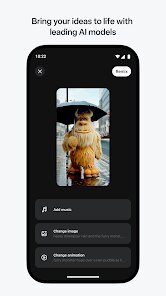
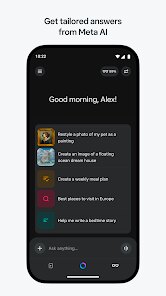
editor reviews
You've probably heard of Meta AI if you've poked around Meta's apps lately. It's essentially Meta's own assistant, built into Facebook, Instagram, and WhatsApp, but there's also a standalone website where you can chat with it directly. The company describes it as a general-purpose chatbot, think something along the lines of ChatGPT but with tighter integration into Meta's ecosystem. You'd download or install it if you already live inside those apps and want a quick way to ask questions, generate text, or get suggestions without jumping to a separate service. The first impression, at least on desktop, is pretty minimal: a clean white interface with a text box and a model selection menu. No flashy onboarding, no sense of urgency, just a “Hello” message waiting for you to type something. It feels almost understated, which works fine if you just want to get to the point.
Once you start using Meta AI, the experience is decent but not mind-blowing. On the website, you pick your model from a dropdown—there's a few versions, including one optimized for speed and another for more thoughtful responses. You type your question, press enter, and the reply streams in. The interface keeps things tidy: your conversation history sits in a sidebar, and you can start a fresh chat or pick up an old one easily. I found the answers came quickly, and the tone was natural enough for everyday queries like summarizing an article or explaining a concept. One thing I noticed is that the assistant tends to stay on the safer side with sensitive topics, which makes sense given Meta's track record with moderation but can also feel a bit guarded. If you hop into Facebook Messenger, the integration is seamless, you can just @Meta AI and ask something mid-conversation. That's genuinely handy when you're chatting with friends and need a quick fact check without leaving the app. On the flip side, the web version can sometimes lag if you've got a long chat history, and the model occasionally gives overly verbose answers to simple questions.
After spending a good amount of time with Meta AI, I'd say it's a solid choice for anyone heavily invested in Meta's apps, especially if you're tired of bouncing between different tools. It's not trying to be the smartest assistant out there, but it's reliable for everyday tasks like drafting an email, planning a trip, or getting a quick summary. Where it falls short is in originality or deep creativity compared to something like Claude or Gemini; the responses lean a bit generic at times. If you only need a basic chatbot and you're already on Instagram or WhatsApp, it is almost too convenient to ignore. But if you want cutting-edge reasoning or a more personal tone, you might find yourself switching tabs. I've kept the tab open because it's useful for quick queries, but I can also see someone uninstalling it if they don't use Meta's ecosystem much. It competes well enough with ChatGPT on simplicity, but it doesn't quite match the polish of Google's Gemini or the creative punch of Claude.
features
- 🌐 You start with a clean text box and can pick from a few model versions, like "Meta AI" for balanced responses or "Llama 3" for speed. There is no account required for the web version, which lowers the barrier to entry. In contrast, ChatGPT requires signing up and offers a more complex interface with multiple tabs for plugins and history. Meta AI keeps things super simple, which works well for quick tasks.
- 📱 The integration with Messenger, Instagram, and WhatsApp is where this tool really shines. You can summon it mid-chat by typing "@Meta AI" and ask for a recommendation or a fact check. No other assistant does this as natively across social apps. ChatGPT has no direct chat integration, and even Google Gemini requires separate apps or browser extensions. It feels like a natural extension of the conversation rather than a separate tool.
- 🆓 The whole experience is free with no hidden paywalls or daily usage caps. You get the same model access whether you use the site or the embedded version. Compare that to ChatGPT, where the free tier limits you to GPT-3.5 and the older model, or Gemini, which restricts some advanced features to paid users. Meta AI gives you the full Llama 3 experience without making you pull out a credit card.
pros
- 📦 It's tied into the largest social media ecosystem on the planet. You can access it from any Meta app without extra downloads or logins. ChatGPT and Claude require you to open a separate app or tab, breaking your flow. Meta AI keeps you inside the conversation, which makes it feel effortless for casual use.
- ⏱️ The response speed is notably fast, especially with the "Llama 3" model. It streams text almost instantly with minimal lag. Even the balanced model is quicker than ChatGPT's free tier and on par with Gemini's standard mode. If you are impatient like me, this matters more than perfect accuracy.
- 🧠 It handles factual queries and simple reasoning tasks reliably. For basic research, definitions, or how-to questions, it gets the job done without hallucinating too much. It feels like a solid search companion, similar to how Google Assistant works but with a more conversational interface.
cons
- 🎨 The creative output is noticeably weaker than competitors. Whether you ask it to write a poem, generate a story, or come up with a slogan, the results feel flat and formulaic. ChatGPT and especially Claude produce more imaginative and varied text. If you need creative writing, this is not the tool for you.
- 🔒 Content restrictions are heavier than average. The assistant declines to answer certain questions that other models would handle, especially around politics or sensitive topics. This cautiousness might be necessary for Meta, but it limits its usefulness compared to the more open ChatGPT or Gemini.
- 🛠️ There is a lack of advanced features like file uploads, image generation, or web browsing. You cannot upload a PDF for analysis or ask it to create an image. ChatGPT and Gemini both offer multimodal capabilities, so this feels like a basic chatbot in comparison.
- 📉 Consistency can be hit or miss. Sometimes the output is spot-on, other times it rambles or misunderstands the question. In contrast, Claude maintains a steadier, more coherent tone across conversations. This inconsistency makes it less reliable for anything beyond simple queries.
Articles
![]()
Guide
How to Update Google Play Store on Android 2026
![]()
Guide
How to Download Older Versions of Android Apps
![]()
Guide
How to Download Apps Without Google Play Store
![]()
Guide
What Is an APK File for Android?
If you use an Android phone, you may have seen the term APK while searching for apps or games online. Some websites offer an APK download instead of a Google Play install button. Some users also mention APK files when talking about apps that are not available in their region, older app versions, or Android games downloaded outside the Play Store.
![]()
Guide
How to Install Games from Google Play for Beginners
Installing games on an Android phone is usually simple, but for beginners, the process can still feel confusing at first. You may not know where to search, which button to tap, whether the game is safe, or why Google Play sometimes asks for account settings, storage access, or payment information. If you are using an Android phone for the first time, learning how to install games from Google Play is one of the easiest ways to get started.
![]()
Guide
How Useful Gemini Is for Everyday Questions and Quick Tasks
emini feels different from many AI apps because it is not only trying to be a chatbot. After using it for everyday questions, quick writing, image understanding, and planning, I think its biggest strength is convenience.
![]()
Guide
What to Know Before Downloading APKs
For many Android users, downloading an APK is a common way to install apps and games. Sometimes an app is not available in a certain country.
![]()
Guide
ChatGPT Review: Is It Still the Best AI App in 2026?
![]()
Guide
Seedance 2.0 vs Sora: The Future of AI Video Generation
The AI video race has intensified dramatically over the past two years. Platforms like Sora from OpenAI and Luma Dream Machine pushed the boundaries of text-to-video realism. Yet, despite their impressive outputs, most tools still operate as probabilistic generators—you describe a scene, and the model interprets it. Control remains limited. With the February 2026 release of Seedance 2.0, developed by ByteDance, the paradigm shifted. Internally known as Jimeng 2.0, Seedance does not position itself as just another video model. It positions itself as an AI Director. Rather than guessing what you want, Seedance 2.0 allows you to direct what happens. This distinction defines everything that follows.









Recommended Apps
![]()
Home Design 3D
Anuman4.2
![]()
Truth or Dare Game - Party App
Chouic4.8
![]()
Photo Collage Maker
Scoompa4.7![]()
Learn to Draw Flower
Creative APPS4.2![]()
FIFA World Cup 2026™
FIFA2.8![]()
Mirror Plus: Mirror with Light
Digitalchemy, LLC4.4![]()
Meitu- Photo Editor & AI Art
Meitu (China) Limited4.5![]()
Perplexity - Ask Anything
PerplexityAI4.7![]()
GhostTube SLS Camera Alternate
GhostTube4![]()
Boom Chip Blast: 2-Player
Black Pyramid 3D Games Studio0![]()
Healthy Benefits+
Solutran, Inc.4.5![]()
Deepcheck AI Search Assistant
rohe.ai4![]()
Idol Prank Video Call & Chat
LightCode Solutions4![]()
Face Shape - Pretty Scale
GlintTec Apps3.9![]()
Plant App - Plant Identifier
ScaleUp4.6











































