

Kling AI: AI Image&Video Maker

10M+
Installs
Lohas Games Pte. Ltd.
Developer
-
Generative AI
Category
-
Teen
Content Rating
-
kling@kuaishou.com
Developer Email
-
https://klingai.com/docs/privacy-policy
Privacy Policy
Screenshots
editor reviews
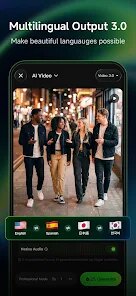
Lohas Games Pte. Ltd. has developed Kling AI: AI Image&Video Maker, an app that focuses on generating visual content through artificial intelligence. It is available for download on Google Play and has been installed over 500,000 times, according to the current Play Store listing. The app is free to use but includes advertisements and offers in-app purchases for additional features or extended capabilities. Its main function centers around turning text prompts or existing images into new visuals, which places it squarely in the growing category of AI-driven creativity tools.
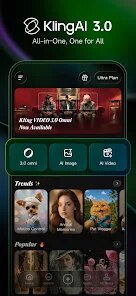
Getting started with Kling AI is fairly straightforward. After you install it, the interface presents two primary creation modules: one for image generation and one for video generation. You type a description into the text box, choose a style or aspect ratio, and the app processes your request, typically returning results within thirty seconds or so. I found that for simpler prompts, like a landscape or an object, the output was often quite detailed. The video generation side works similarly, although you need to provide a base image or a more specific prompt to get a coherent short clip. The app also includes a community gallery where you can see what other users have created and reuse their prompts, which adds a social layer to the whole experience.
Compared to other AI generation apps I have used, like Dream by Wombo or even the more advanced Midjourney mobile ports, Kling AI strikes a middle ground. Dream by Wombo is faster but produces much more abstract results, while Midjourney ports often lack a polished mobile interface. Kling AI feels more focused on giving you usable images with reasonable fidelity, though it does not always match the artistic quality of some desktop-focused tools. Its video generation feature is a differentiator, as most similar apps only handle static images. The trade-off seems to be in consistency, as the video clips can sometimes flicker or lose coherence if the prompt is too complex.
features
- One of the stronger points is the balance between speed and quality. For quick concepts or reference images, the app delivers results in under a minute, which is convenient for brainstorming or rough visual planning. The level of detail in the output surprised me a few times.
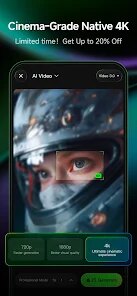
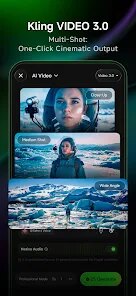
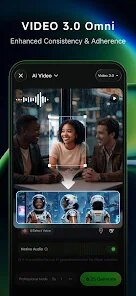
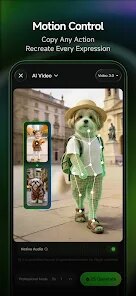
- The video generation function sets it apart from many alternatives. While the clips are short, usually around three seconds, they handle motion reasonably well for simple scenes. It is not as smooth as professional animation tools, but for a mobile app, it offers something unusual.
- The community prompt library is genuinely useful. Instead of starting from scratch, you can browse trending images, copy their prompts, and then tweak them. This reduces the learning curve and gives you a sense of what the AI interprets well. I found myself using this feature more than I expected.
pros
- For quickly generating visual ideas without opening a laptop, this app is practical. It works well for social media content or basic concept art sketches when you need something passable in a few minutes.
- The prompt reuse feature saves time. If you see an image style you like, you can adapt it immediately without having to guess the right phrasing, which reduces trial and error.
- It handles multiple aspect ratios, including square, portrait, and landscape, which makes it flexible for different platform requirements. I have used it for both Instagram posts and YouTube thumbnails with acceptable results.
cons
- The free version has a daily limit on generations, and the ad frequency can feel intrusive when you are trying to iterate quickly on an idea. Waiting through a video ad every few tries interrupts the workflow.
- Video quality is inconsistent. While some clips look coherent, others lose subject focus or introduce unnatural transitions, which limits their use for anything beyond casual sharing.
- The in-app purchase options are not clearly explained. It is not always obvious what you are buying beyond more generation credits, and the pricing model could be more transparent within the app itself.
Articles
![]()
Guide
How to Update Google Play Store on Android 2026
![]()
Guide
How to Download Older Versions of Android Apps
![]()
Guide
How to Download Apps Without Google Play Store
![]()
Guide
What Is an APK File for Android?
If you use an Android phone, you may have seen the term APK while searching for apps or games online. Some websites offer an APK download instead of a Google Play install button. Some users also mention APK files when talking about apps that are not available in their region, older app versions, or Android games downloaded outside the Play Store.
![]()
Guide
How to Install Games from Google Play for Beginners
Installing games on an Android phone is usually simple, but for beginners, the process can still feel confusing at first. You may not know where to search, which button to tap, whether the game is safe, or why Google Play sometimes asks for account settings, storage access, or payment information. If you are using an Android phone for the first time, learning how to install games from Google Play is one of the easiest ways to get started.
![]()
Guide
How Useful Gemini Is for Everyday Questions and Quick Tasks
emini feels different from many AI apps because it is not only trying to be a chatbot. After using it for everyday questions, quick writing, image understanding, and planning, I think its biggest strength is convenience.
![]()
Guide
What to Know Before Downloading APKs
For many Android users, downloading an APK is a common way to install apps and games. Sometimes an app is not available in a certain country.
![]()
Guide
ChatGPT Review: Is It Still the Best AI App in 2026?
![]()
Guide
Seedance 2.0 vs Sora: The Future of AI Video Generation
The AI video race has intensified dramatically over the past two years. Platforms like Sora from OpenAI and Luma Dream Machine pushed the boundaries of text-to-video realism. Yet, despite their impressive outputs, most tools still operate as probabilistic generators—you describe a scene, and the model interprets it. Control remains limited. With the February 2026 release of Seedance 2.0, developed by ByteDance, the paradigm shifted. Internally known as Jimeng 2.0, Seedance does not position itself as just another video model. It positions itself as an AI Director. Rather than guessing what you want, Seedance 2.0 allows you to direct what happens. This distinction defines everything that follows.









Recommended Apps
![]()
Home Design 3D
Anuman4.2
![]()
Truth or Dare Game - Party App
Chouic4.8
![]()
Photo Collage Maker
Scoompa4.7![]()
Learn to Draw Flower
Creative APPS4.2![]()
FIFA World Cup 2026™
FIFA2.8![]()
Mirror Plus: Mirror with Light
Digitalchemy, LLC4.4![]()
Meitu- Photo Editor & AI Art
Meitu (China) Limited4.5![]()
Perplexity - Ask Anything
PerplexityAI4.7![]()
GhostTube SLS Camera Alternate
GhostTube4![]()
Boom Chip Blast: 2-Player
Black Pyramid 3D Games Studio0![]()
Healthy Benefits+
Solutran, Inc.4.5![]()
Deepcheck AI Search Assistant
rohe.ai4![]()
Idol Prank Video Call & Chat
LightCode Solutions4![]()
Face Shape - Pretty Scale
GlintTec Apps3.9![]()
Plant App - Plant Identifier
ScaleUp4.6












































