

Culver's

1M+
Installs
Culver's
Developer
-
Food & Drink
Category
-
Everyone
Content Rating
-
digitalsupport@culvers.com
Developer Email
-
https://www.culvers.com/privacy-and-terms-of-use
Privacy Policy
Screenshots

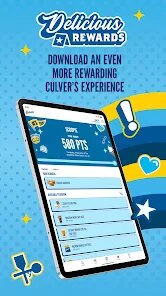
editor reviews
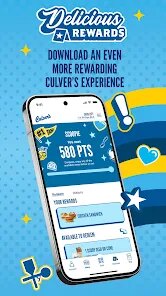
Culver's, a restaurant brand known for its ButterBurgers and frozen custard, has released its own mobile application to enhance the guest experience. The app serves as a digital companion for ordering ahead, discovering promotions, and managing loyalty rewards through the MyCulver's program. Available for download on Google Play and the App Store, the install size remains quite modest, fitting comfortably on most modern smartphones. It is entirely free to download and use, though it does include some promotional content that functions similarly to ads. While in-app purchases for food are possible through the ordering system, the app itself does not require any upfront payment.
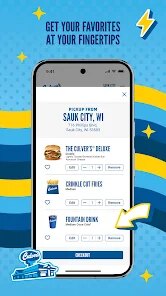
Navigating the app is fairly straightforward. Upon opening it, users are greeted with a clean interface that highlights the daily flavor of the day for frozen custard, alongside a dashboard of current deals. The 'Order Ahead' feature allows you to select a nearby location, customize your meal, and pay digitally, which significantly cuts down on waiting time in the drive-thru. Linking a payment method is simple, and the saved order history makes reordering a frequent meal a matter of a few taps. I found the interface responsive and the steps logical, moving from location selection to menu browsing without unnecessary fuss.
Compared to similar apps from other quick-service restaurants, Culver's takes a slightly different approach by placing loyalty at the core of the experience. While many competitors focus heavily on exclusive mobile-only coupons, Culver's app emphasizes the earning of points through the MyCulver's rewards program. The design feels less cluttered and more family-oriented than some rivals, which often push promotions aggressively. It is a quieter, more functional space, though this means it is not as flashy as other dining apps, a trade-off that seems to align with the brand's midwestern, no-frills ethos. That said, the absence of a robust menu customization interface for special requests might be noticeable for those accustomed to more detailed options elsewhere.
features
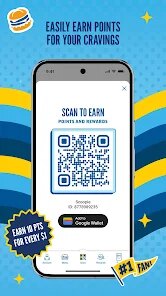
- The MyCulver's rewards integration is the standout aspect, quietly accumulating points in the background with every purchase, which translates into free custard or entree discounts over time. It feels less like a gimmick and more like a genuine thank-you for regular patronage, although the earning rate is slow for infrequent visitors.
- The daily flavor notifications are a nice touch, providing a simple push alert that avoids being intrusive. It is a practical way to keep the app relevant without constant spam, and I appreciate that the settings allow you to easily mute these alerts if they become too frequent.
- Ordering ahead is generally dependable. The GPS-based location finder accurately identifies the correct store, and the estimated pickup time has always been accurate in my experience. Unlike some competitor apps that suffer from occasional location syncing errors, this one has performed reliably, making it a low-stress way to skip the queue.
pros
- Saves time on busy evenings by allowing you to schedule a pickup just before arriving, which is a significant advantage during peak dinner hours.
- Centralizes digital payment and order history, eliminating the need to fumble for a wallet or keep track of paper receipts.
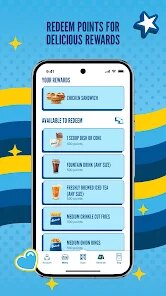
- Provides a clear, easy-to-understand view of your reward points and available coupons, helping you make informed choices about how to pay for your meal.
cons
- The app occasionally logs users out after a period of inactivity, forcing a re-login that interrupts the flow when you are in a hurry to place an order.
- Special instructions for customizing orders are quite limited, which is frustrating if you have specific dietary preferences not already listed in the standard modifiers.
- Some promotional offers are buried within the menu tabs rather than easily visible on the home screen, requiring a few extra taps to locate the current best value.
Articles
![]()
Guide
How to Update Google Play Store on Android 2026
![]()
Guide
How to Download Older Versions of Android Apps
![]()
Guide
How to Download Apps Without Google Play Store
![]()
Guide
What Is an APK File for Android?
If you use an Android phone, you may have seen the term APK while searching for apps or games online. Some websites offer an APK download instead of a Google Play install button. Some users also mention APK files when talking about apps that are not available in their region, older app versions, or Android games downloaded outside the Play Store.
![]()
Guide
How to Install Games from Google Play for Beginners
Installing games on an Android phone is usually simple, but for beginners, the process can still feel confusing at first. You may not know where to search, which button to tap, whether the game is safe, or why Google Play sometimes asks for account settings, storage access, or payment information. If you are using an Android phone for the first time, learning how to install games from Google Play is one of the easiest ways to get started.
![]()
Guide
How Useful Gemini Is for Everyday Questions and Quick Tasks
emini feels different from many AI apps because it is not only trying to be a chatbot. After using it for everyday questions, quick writing, image understanding, and planning, I think its biggest strength is convenience.
![]()
Guide
What to Know Before Downloading APKs
For many Android users, downloading an APK is a common way to install apps and games. Sometimes an app is not available in a certain country.
![]()
Guide
ChatGPT Review: Is It Still the Best AI App in 2026?
![]()
Guide
Seedance 2.0 vs Sora: The Future of AI Video Generation
The AI video race has intensified dramatically over the past two years. Platforms like Sora from OpenAI and Luma Dream Machine pushed the boundaries of text-to-video realism. Yet, despite their impressive outputs, most tools still operate as probabilistic generators—you describe a scene, and the model interprets it. Control remains limited. With the February 2026 release of Seedance 2.0, developed by ByteDance, the paradigm shifted. Internally known as Jimeng 2.0, Seedance does not position itself as just another video model. It positions itself as an AI Director. Rather than guessing what you want, Seedance 2.0 allows you to direct what happens. This distinction defines everything that follows.









Recommended Apps
![]()
Home Design 3D
Anuman4.2
![]()
Truth or Dare Game - Party App
Chouic4.8
![]()
Photo Collage Maker
Scoompa4.7![]()
Learn to Draw Flower
Creative APPS4.2![]()
FIFA World Cup 2026™
FIFA2.8![]()
Mirror Plus: Mirror with Light
Digitalchemy, LLC4.4![]()
Meitu- Photo Editor & AI Art
Meitu (China) Limited4.5![]()
Perplexity - Ask Anything
PerplexityAI4.7![]()
GhostTube SLS Camera Alternate
GhostTube4![]()
Boom Chip Blast: 2-Player
Black Pyramid 3D Games Studio0![]()
Healthy Benefits+
Solutran, Inc.4.5![]()
Deepcheck AI Search Assistant
rohe.ai4![]()
Idol Prank Video Call & Chat
LightCode Solutions4![]()
Face Shape - Pretty Scale
GlintTec Apps3.9![]()
Plant App - Plant Identifier
ScaleUp4.6












































