

Remini - AI Photo Enhancer

100M+
Installs
Bending Spoons
Developer
-
Video Players & Editors
Category
-
Rated for 3+
Content Rating
-
support-android@remini.ai
Developer Email
-
https://bendingspoons.com/privacy.html?app=1470373330
Privacy Policy
Screenshots


editor reviews
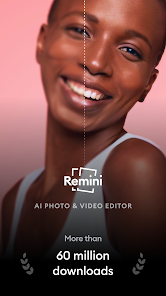
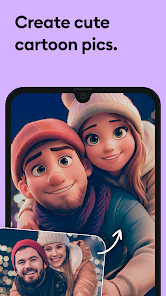
Remini is one of those apps that feels almost too good to be true at first glance. Developed by Bending Spoons, it's an AI-powered photo enhancer designed specifically to restore old, blurry, or pixelated images into sharp, high-resolution versions. I first heard about it through a friend who was trying to fix a faded family photo from the '80s, and honestly, the results were shocking. Once you open it up, the interface is pretty straightforward: you just pick a photo from your gallery and let the AI do its magic. It has over 100 million downloads on Google Play alone, and while the basic enhancement is free, you'll quickly realize that serious use pushes you toward a paid subscription. The first impression is pure curiosity, because you've seen AI upscalers before, but this one actually delivers on the hype without making faces look like waxy dolls.
After using it for a while, the experience becomes a mix of amazement and slight frustration. You upload a photo, and within about 10 to 15 seconds, the app processes it and shows you a side-by-side comparison of the original and the enhanced version. That sliver of time between hitting 'enhance' and seeing the result is genuinely exciting. The interface is clean but a bit pushy with its premium upsells often appearing right after a successful enhancement, nudging you to buy the full quality export. Common usage goes like this: you scan an old printed photo from your childhood, crop it, and run it through the enhancer. Most of the time, the faces come back with proper eye details and skin texture, not that uncanny valley mess older apps used to produce. One trick I learned is that the "enhance" feature handles faces way better than wider landscape shots, so knowing what to feed it makes a big difference in daily use.
After keeping Remini installed for a few months, I have mixed feelings about whether it's worth the space on my phone. If you're someone who regularly digs through old family archives or works with low-resolution images, this app is borderline essential. But for the average person who just snaps selfies on their current phone, the free version feels too limited, and the subscription is hard to justify. What sets it apart from older tools like Adobe Photoshop's basic upscaling is how fast and automated everything is, you barely need to tweak anything. Yet, I can see people uninstalling it once they've fixed their old photos because there's not much reason to keep it running daily. It's a fantastic niche tool, but unless you're a nostalgia junkie or a content creator, it's more of a quick fix than a long-term companion.
features
- 🖼️ The standout feature is the AI face enhancement that doesn't just sharpen images but actually reconstructs facial features realistically. When I compared it to Adobe Photoshop's Super Resolution, Remini handled old grainy photos far better, especially on skin tones and eye details, making the results feel less robotic and more natural.
- 🎞️ The batch processing feature is a lifesaver for restoring a whole album at once. Unlike Google Photos' sharpening tool, which needs manual adjustments per image, Remini lets you queue up multiple scans and process them without touching each one individually, saving a ton of time for heavy users.
- 🧩 The automatic colorization tool for black-and-white photos is surprisingly convincing. While similar apps like Colorize have a tendency to oversaturate or guess wrong, Remini keeps colors balanced and subtle, matching the era of the photo without looking like a filter was slapped on top.
pros
- 🌟 The processing speed is genuinely impressive. Compared to something like Topaz Gigapixel AI, which takes minutes on a desktop, Remini finishes most enhancements in under 20 seconds on a phone, making it far more practical for quick fixes on the go.
- 🌟 The user interface is extremely beginner-friendly. Unlike Snapseed's complex masking tools or Lightroom's curves, Remini is just point, tap, and wait, so even my grandmother could restore her wedding photo without needing a tutorial.
- 🌟 The consistency across different photo qualities is solid. Whether you feed it a 2005 flip-phone shot or a scanned newspaper clipping from the '70s, the app produces reliable sharpening without introducing artifacts, which is something other mobile enhancers like Pixlr often struggle with.
cons
- 🪣 The free version's watermarks and low-resolution exports are incredibly limiting. If you want to save the enhanced photo without a huge "Remini" stamp, you have to pay, and the free version also caps output quality so badly that the results often look worse than the original in terms of actual usable resolution.
- 🪣 The subscription pricing feels steep for what it is. Most months, I only use it a few times, but the only option is a recurring payment, unlike FaceApp's one-time purchases or Enlight's per-tool unlocks, making casual users feel locked out.
- 🪣 The ad frequency in the free tier is annoying. After each enhancement, you either wait through a 30-second video ad or get bumped to a premium subscription page, which disrupts the flow when you're trying to restore multiple photos in one sitting.
Articles
![]()
Guide
How to Update Google Play Store on Android 2026
![]()
Guide
How to Download Older Versions of Android Apps
![]()
Guide
How to Download Apps Without Google Play Store
![]()
Guide
What Is an APK File for Android?
If you use an Android phone, you may have seen the term APK while searching for apps or games online. Some websites offer an APK download instead of a Google Play install button. Some users also mention APK files when talking about apps that are not available in their region, older app versions, or Android games downloaded outside the Play Store.
![]()
Guide
How to Install Games from Google Play for Beginners
Installing games on an Android phone is usually simple, but for beginners, the process can still feel confusing at first. You may not know where to search, which button to tap, whether the game is safe, or why Google Play sometimes asks for account settings, storage access, or payment information. If you are using an Android phone for the first time, learning how to install games from Google Play is one of the easiest ways to get started.
![]()
Guide
How Useful Gemini Is for Everyday Questions and Quick Tasks
emini feels different from many AI apps because it is not only trying to be a chatbot. After using it for everyday questions, quick writing, image understanding, and planning, I think its biggest strength is convenience.
![]()
Guide
What to Know Before Downloading APKs
For many Android users, downloading an APK is a common way to install apps and games. Sometimes an app is not available in a certain country.
![]()
Guide
ChatGPT Review: Is It Still the Best AI App in 2026?
![]()
Guide
Seedance 2.0 vs Sora: The Future of AI Video Generation
The AI video race has intensified dramatically over the past two years. Platforms like Sora from OpenAI and Luma Dream Machine pushed the boundaries of text-to-video realism. Yet, despite their impressive outputs, most tools still operate as probabilistic generators—you describe a scene, and the model interprets it. Control remains limited. With the February 2026 release of Seedance 2.0, developed by ByteDance, the paradigm shifted. Internally known as Jimeng 2.0, Seedance does not position itself as just another video model. It positions itself as an AI Director. Rather than guessing what you want, Seedance 2.0 allows you to direct what happens. This distinction defines everything that follows.









Recommended Apps
![]()
Home Design 3D
Anuman4.2
![]()
Truth or Dare Game - Party App
Chouic4.8
![]()
Photo Collage Maker
Scoompa4.7![]()
Learn to Draw Flower
Creative APPS4.2![]()
FIFA World Cup 2026™
FIFA2.8![]()
Mirror Plus: Mirror with Light
Digitalchemy, LLC4.4![]()
Meitu- Photo Editor & AI Art
Meitu (China) Limited4.5![]()
Perplexity - Ask Anything
PerplexityAI4.7![]()
GhostTube SLS Camera Alternate
GhostTube4![]()
Boom Chip Blast: 2-Player
Black Pyramid 3D Games Studio0![]()
Healthy Benefits+
Solutran, Inc.4.5![]()
Deepcheck AI Search Assistant
rohe.ai4![]()
Idol Prank Video Call & Chat
LightCode Solutions4![]()
Face Shape - Pretty Scale
GlintTec Apps3.9![]()
Plant App - Plant Identifier
ScaleUp4.6












































