
Walli - HD, 4K Wallpapers

10M+
Installs
Tap AI
Developer
-
Productivity
Category
-
Rated for 12+
Content Rating
-
support@tap.pm
Developer Email
-
https://www.walliapp.com/privacy-policy/
Privacy Policy
Screenshots
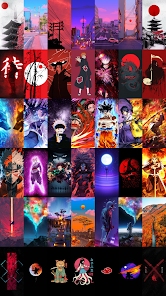
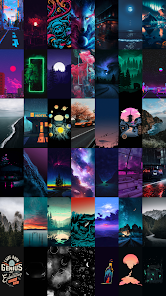
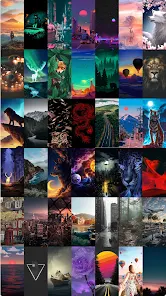
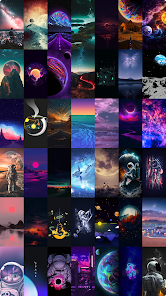
editor reviews
Walli is a wallpaper app that focuses on curated, high-resolution imagery for phone backgrounds. Instead of just scraping random images from the web like some other apps I've tried, it actually works with a community of artists and designers. You can browse categories like abstract, nature, dark mode, or minimal, and the main draw here is the quality – most of the wallpapers are sharp enough for modern screens without looking blurry or stretched. I found it on Google Play after getting tired of the same old default backgrounds, and the install count seems pretty solid for this kind of niche app. It's free to download, but there's a premium subscription that unlocks exclusive content and removes the occasional ads. The first thing I noticed when I launched it was how clean the layout looked. No clutter, just rows of thumbnails that you can scroll through. It felt like walking into a gallery instead of a messy flea market, which really set my expectations high.
After using it for a couple weeks, the experience has been mostly smooth. You tap a wallpaper you like, and it gives you a preview with a download button. The app also has a neat onboarding flow where it asks about your display settings – like if you use dark mode or have an AMOLED screen – so it can recommend wallpapers that fit your device better. I did run into a small annoyance when I tried to save a few wallpapers in a row; the app sometimes lagged for a second before loading the next preview. But overall, navigating through categories like anime, space, or cityscapes felt intuitive. One practical tip I picked up is that you can create a "favorites" folder, which helps when you want to switch backgrounds seasonally without digging through the whole gallery again. The app also has a daily wallpaper feature that auto-changes your background, which is nice if you get bored easily.
Honestly, after sticking with Walli for a while, I think it's a solid choice for anyone who cares about aesthetics and wants to support real artists instead of just using generic images. I could see graphic designers or people who customize their phone a lot really enjoying it. That said, if you just want a basic wallpaper for free without any fuss, you might find the subscription model a little unnecessary. Compared to apps like Zedge or Backdrops, Walli feels more artistic and less cluttered, but it also has a smaller selection outside of its premium tier. What keeps it on my phone is the consistent quality – I haven't found another app that balances curation and variety this well. I might uninstall it eventually if the ads get too annoying, but for now, it's been a reliable way to keep my screen fresh.
features
- ✨ Curated Artist Community – Unlike Backdrops, which leans more on stock-style images, Walli directly showcases work from visual artists and illustrators. You can even see the artist's name and sometimes their social links, which makes it feel like a mini-exhibition rather than just a wallpaper dump.
- ✨ AMOLED-Ready Filter – The app lets you filter specifically for dark wallpapers that take advantage of AMOLED screens, saving battery and giving that deep black contrast. Most other apps like Zedge just offer a "dark" tag, but Walli's filter actually optimizes the crop and shading for these displays.
- ✨ Daily Auto-Refresh – You can set it to automatically change your wallpaper every day from a pre-selected category. This is smoother than similar features in Resplash, because Walli actually learns your taste over time and adjusts the rotation instead of just cycling through random picks.
- ✨ No Watermarks on Free Wallpapers – Even without a subscription, the downloaded images are clean and unmarked. A lot of competitors like Vellum force their watermark on free downloads, which Walli avoids entirely, making it more generous for casual users.
pros
- ✅ High-Resolution Consistency – Every wallpaper I downloaded was at least 1080p, sometimes reaching 4K, which is rare for free apps. Zedge often serves lower-res images unless you dig deep, so Walli saves you that hassle.
- ✅ Minimal Ad Interruption – The ads are mostly banners at the bottom and not full-screen pop-ups that break your browsing. Backdrops tends to push video ads between categories, which feels way more intrusive.
- ✅ Active Artist Rewards – Walli actually pays its contributors based on downloads, which means the quality stays high. Resplash relies on volunteer uploads, so the variety there can be hit or miss.
- ✅ Dark Mode Built-In – The app itself has a proper dark mode that matches the system, unlike some older wallpaper apps that just invert colors awkwardly.
cons
- ❌ Limited Free Collection – After a few days of browsing, you start hitting a paywall for the best sets. Backdrops gives more complete free access, especially for retro styles, so Walli feels stingier in comparison.
- ❌ Slow Preview Loading – When you tap a wallpaper, it takes a noticeable second to load the full preview, especially on mid-range phones. Apps like Zedge have instant previews, which makes browsing feel snappier.
- ❌ No Landscape Mode – The app is clearly designed for portrait phones only, so if you try to use it on a tablet or rotate your screen, it looks broken. Resplash handles both orientations much better.
- ❌ Search Can Be Vague – The search function pulls generic results from titles, but doesn't index tags well. I looked for "cyberpunk" and got a mix of sci-fi and neon, whereas Vellum would have given exact matches immediately.
Articles
![]()
Guide
How to Update Google Play Store on Android 2026
![]()
Guide
How to Download Older Versions of Android Apps
![]()
Guide
How to Download Apps Without Google Play Store
![]()
Guide
What Is an APK File for Android?
If you use an Android phone, you may have seen the term APK while searching for apps or games online. Some websites offer an APK download instead of a Google Play install button. Some users also mention APK files when talking about apps that are not available in their region, older app versions, or Android games downloaded outside the Play Store.
![]()
Guide
How to Install Games from Google Play for Beginners
Installing games on an Android phone is usually simple, but for beginners, the process can still feel confusing at first. You may not know where to search, which button to tap, whether the game is safe, or why Google Play sometimes asks for account settings, storage access, or payment information. If you are using an Android phone for the first time, learning how to install games from Google Play is one of the easiest ways to get started.
![]()
Guide
How Useful Gemini Is for Everyday Questions and Quick Tasks
emini feels different from many AI apps because it is not only trying to be a chatbot. After using it for everyday questions, quick writing, image understanding, and planning, I think its biggest strength is convenience.
![]()
Guide
What to Know Before Downloading APKs
For many Android users, downloading an APK is a common way to install apps and games. Sometimes an app is not available in a certain country.
![]()
Guide
ChatGPT Review: Is It Still the Best AI App in 2026?
![]()
Guide
Seedance 2.0 vs Sora: The Future of AI Video Generation
The AI video race has intensified dramatically over the past two years. Platforms like Sora from OpenAI and Luma Dream Machine pushed the boundaries of text-to-video realism. Yet, despite their impressive outputs, most tools still operate as probabilistic generators—you describe a scene, and the model interprets it. Control remains limited. With the February 2026 release of Seedance 2.0, developed by ByteDance, the paradigm shifted. Internally known as Jimeng 2.0, Seedance does not position itself as just another video model. It positions itself as an AI Director. Rather than guessing what you want, Seedance 2.0 allows you to direct what happens. This distinction defines everything that follows.









Recommended Apps
![]()
Home Design 3D
Anuman4.2
![]()
Truth or Dare Game - Party App
Chouic4.8
![]()
Photo Collage Maker
Scoompa4.7![]()
Learn to Draw Flower
Creative APPS4.2![]()
FIFA World Cup 2026™
FIFA2.8![]()
Mirror Plus: Mirror with Light
Digitalchemy, LLC4.4![]()
Meitu- Photo Editor & AI Art
Meitu (China) Limited4.5![]()
Perplexity - Ask Anything
PerplexityAI4.7![]()
GhostTube SLS Camera Alternate
GhostTube4![]()
Boom Chip Blast: 2-Player
Black Pyramid 3D Games Studio0![]()
Healthy Benefits+
Solutran, Inc.4.5![]()
Deepcheck AI Search Assistant
rohe.ai4![]()
Idol Prank Video Call & Chat
LightCode Solutions4![]()
Face Shape - Pretty Scale
GlintTec Apps3.9![]()
Plant App - Plant Identifier
ScaleUp4.6












































