
HD Wallpapers (Backgrounds)

10M+
Installs
Android Station
Developer
-
Productivity
Category
-
Rated for 3+
Content Rating
-
support@androidstation.info
Developer Email
-
http://backgroundhd.androidstation.info/PrivacyPolicy.html
Privacy Policy
Screenshots
editor reviews
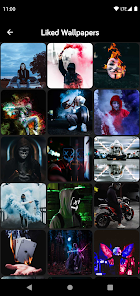
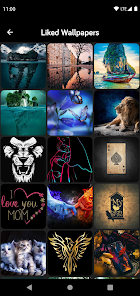
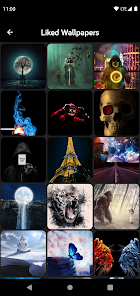
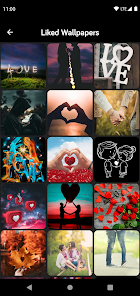
I picked up HD Wallpapers (Backgrounds) by Android Station more out of boredom than anything else. It's basically a straightforward wallpaper app, the kind you browse when your current lock screen just isn't doing it for you anymore. You scroll through thousands of high-resolution images, find one that clicks, and set it as your home screen or lock screen background right from the app. The whole thing is free to download from Google Play, though I noticed it pulls in over ten million installs, so clearly a lot of people have the same impulse I had. After launching it for the first time, I was greeted by a grid of thumbnails that loaded pretty quickly, which was a relief because nothing kills a mood like waiting for images to buffer. There is a registration screen that popped up, but I just skipped it and started browsing without any hassle.
Actually using the app felt surprisingly smooth. The interface isn't fancy at all, just a few category tabs at the top like "Abstract," "Nature," or "Minimalist," plus a search bar if you know exactly what you want. Tapping any thumbnail opens a preview where you can swipe left or right to see the next or previous wallpaper. That swipe gesture works really well, and I found myself just absentmindedly flipping through dozens of images like I was scrolling through a social feed. To actually set a wallpaper, you tap a "Set Wallpaper" button, and then it asks whether you want it on your home screen, lock screen, or both. The one thing that tripped me up at first was the "Download" button, which saves the image to your device but still requires the same set wallpaper action to apply it. After using it for a few days, I figured out it's faster to just skip the download and set it directly.
After a couple of weeks, I have mixed feelings about keeping it around. The sheer volume of wallpapers is impressive, and the categorization genuinely helps you find something decent without wading through junk. But the ads are a bit annoying, not constant, but they pop up after every four or five swipes, which breaks the flow when you're just trying to browse. Compared to something like Zedge, this app feels more focused on just wallpapers without the ringtone clutter, which I actually prefer. On the other hand, the image quality is a mixed bag, some are true 4K sharpness, others look a little compressed when you actually set them. I think people who obsess over their phone's aesthetic and change backgrounds weekly will love this. Casual users who just want one nice photo and never touch it again might not see the point. I'm keeping it installed for now, but I can see myself uninstalling it once I find a wallpaper I really stick with.
features
- 🖼️ HD Wallpapers offers a massive library of over 10,000 images sorted into clean categories like Abstract, Nature, and Minimalist, while Zedge spreads its focus across wallpapers, ringtones, and notification sounds. For someone who just wants wallpapers without extra noise, this app feels more streamlined from the start.
- 🖼️ The standout feature here is the ability to set a wallpaper directly from the preview without downloading it first. In Zedge, you often have to save an image to your gallery and then manually apply it through your phone's settings. That extra tap may sound small, but when you are trying out ten different wallpapers, the difference adds up quickly.
- 🖼️ Another thing I noticed is how HD Wallpapers handles orientation. It automatically detects whether your phone is portrait or landscape and crops the image accordingly. Zedge sometimes forces a square crop that cuts off important parts of a photo, which always made me back out and try another one.
pros
- 👍 The library size is honestly the main draw. With over ten million downloads, the app clearly has a strong user base, and you rarely run into duplicate images like you do on Walli or some smaller wallpaper apps. Every swipe usually gives you something fresh.
- 👍 It works completely offline after you download a wallpaper, unlike Backdrops which requires an internet connection every single time you want to browse. That makes HD Wallpapers a lot more usable on the subway or in areas with spotty signal.
- 👍 The app is lightweight. It takes up very little space on your phone compared to some others, so even if you only use it occasionally, it does not feel like a burden on your storage.
cons
- 👎 The ad frequency can get intrusive. After every few swipes, a full-screen video ad pops up, and you have to wait through a timer before you can close it. Zedge handles its ads a little better by sticking them in a sidebar rather than interrupting your browsing flow.
- 👎 Image quality is inconsistent. Some pictures look crisp and sharp on a high-resolution screen, while others show noticeable compression artifacts, especially in darker areas. Walli stands out here because every image is curated by artists, so the quality is much more predictable.
- 👎 The search function is weak. Typing something like "sunset" returns a lot of unrelated results, and there is no filter for resolution or aspect ratio. If you are picky about finding exactly the right size, you will spend more time scrolling than searching.
Articles
![]()
Guide
How to Update Google Play Store on Android 2026
![]()
Guide
How to Download Older Versions of Android Apps
![]()
Guide
How to Download Apps Without Google Play Store
![]()
Guide
What Is an APK File for Android?
If you use an Android phone, you may have seen the term APK while searching for apps or games online. Some websites offer an APK download instead of a Google Play install button. Some users also mention APK files when talking about apps that are not available in their region, older app versions, or Android games downloaded outside the Play Store.
![]()
Guide
How to Install Games from Google Play for Beginners
Installing games on an Android phone is usually simple, but for beginners, the process can still feel confusing at first. You may not know where to search, which button to tap, whether the game is safe, or why Google Play sometimes asks for account settings, storage access, or payment information. If you are using an Android phone for the first time, learning how to install games from Google Play is one of the easiest ways to get started.
![]()
Guide
How Useful Gemini Is for Everyday Questions and Quick Tasks
emini feels different from many AI apps because it is not only trying to be a chatbot. After using it for everyday questions, quick writing, image understanding, and planning, I think its biggest strength is convenience.
![]()
Guide
What to Know Before Downloading APKs
For many Android users, downloading an APK is a common way to install apps and games. Sometimes an app is not available in a certain country.
![]()
Guide
ChatGPT Review: Is It Still the Best AI App in 2026?
![]()
Guide
Seedance 2.0 vs Sora: The Future of AI Video Generation
The AI video race has intensified dramatically over the past two years. Platforms like Sora from OpenAI and Luma Dream Machine pushed the boundaries of text-to-video realism. Yet, despite their impressive outputs, most tools still operate as probabilistic generators—you describe a scene, and the model interprets it. Control remains limited. With the February 2026 release of Seedance 2.0, developed by ByteDance, the paradigm shifted. Internally known as Jimeng 2.0, Seedance does not position itself as just another video model. It positions itself as an AI Director. Rather than guessing what you want, Seedance 2.0 allows you to direct what happens. This distinction defines everything that follows.









Recommended Apps
![]()
Home Design 3D
Anuman4.2
![]()
Truth or Dare Game - Party App
Chouic4.8
![]()
Photo Collage Maker
Scoompa4.7![]()
Learn to Draw Flower
Creative APPS4.2![]()
FIFA World Cup 2026™
FIFA2.8![]()
Mirror Plus: Mirror with Light
Digitalchemy, LLC4.4![]()
Meitu- Photo Editor & AI Art
Meitu (China) Limited4.5![]()
Perplexity - Ask Anything
PerplexityAI4.7![]()
GhostTube SLS Camera Alternate
GhostTube4![]()
Boom Chip Blast: 2-Player
Black Pyramid 3D Games Studio0![]()
Healthy Benefits+
Solutran, Inc.4.5![]()
Deepcheck AI Search Assistant
rohe.ai4![]()
Idol Prank Video Call & Chat
LightCode Solutions4![]()
Face Shape - Pretty Scale
GlintTec Apps3.9![]()
Plant App - Plant Identifier
ScaleUp4.6












































