

FaceMagic - AI Face Editor

10M+
Installs
Apero Vision Lab
Developer
-
Video Players & Editors
Category
-
Rated for 3+
Content Rating
-
trustedapp.help@gmail.com
Developer Email
-
https://sites.google.com/view/facemagic-privacy-policy?usp=sharing
Privacy Policy
Screenshots
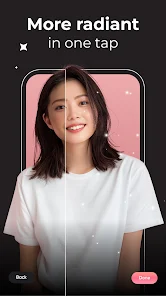
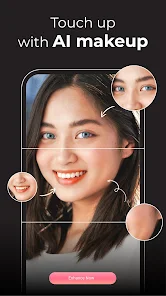

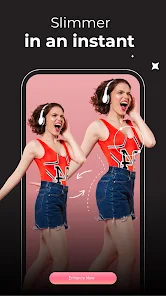
editor reviews
FaceMagic is an AI-powered face editing app that lets you swap faces, age your appearance, or turn yourself into a cartoon character. It's one of those apps you stumble across when you want to mess around with photos without needing Photoshop skills. I found it on the Play Store with over 10 million downloads, and it's free to download, though there are in-app purchases and ads that pop up here and there. When I first launched it, the interface felt clean but a bit crowded with all the tools staring back at me. Honestly, the first impression was that it seemed like a fun toy for a lazy afternoon rather than something serious, but that changed once I started actually using it.
After getting past the splash screen and a quick tutorial that I mostly skipped, I jumped straight into face swapping. The process is pretty straightforward: you pick a photo from your gallery or snap one on the spot, choose a template or another face, and the AI does the rest in a few seconds. The results were surprisingly good on the first try—my face ended up on a movie star's body without those weird lighting mismatches you often see. I also tried the aging feature, which added wrinkles and gray hair, and it looked convincing enough to send to friends for a laugh. Navigation is mostly smooth, but sometimes the app lags when processing high-resolution images, which gets a bit frustrating. A small tip: use well-lit photos for the best results, because shadows or blurry shots can confuse the AI.
After playing around for a couple of weeks, I think FaceMagic nails it for casual fun but falls short if you need precision. It's perfect for people who enjoy making funny memes or sprucing up social media posts, but photo editors who demand manual control might find it too restrictive. Apps like Reface or FaceApp are similar, but FaceMagic feels more playful with extra filters and stickers, though it lacks some of the fine-tuning tools you'd find in paid editors. What keeps it on my phone is the novelty—every update adds new templates—but the ads can be annoying, and the free version limits you to a few uses per day. I'd keep it installed for party tricks, but I'd probably uninstall it if I needed something more professional like Adobe Photoshop Express.
features
- 🎨 FaceMagic's face swap is faster than Reface and handles group photos better, letting you replace multiple faces in one shot without the app crashing, which is a neat trick for party pictures.
- 📸 It offers more creative templates than FaceApp, including fantasy avatars and historical figures, so you can turn yourself into a knight or a Victorian-era portrait, making it more fun for experimental edits.
- ⚡ The AI adjusts skin tones and lighting automatically, which cuts down on manual corrections compared to older editors like Snapchat, so your swapped face blends into the scene naturally.
- 🖼️ Unlike most competitors, it includes a batch edit mode where you can apply the same effect to a whole album at once, saving time when you're editing event photos.
pros
- 👍 The interface is simpler than Reface, with fewer steps to get a good result, so you don't feel lost when you're in a hurry.
- 👍 Its emoji and sticker library is bigger than FaceApp's, giving you more ways to personalize edits without switching apps.
- 👍 The app updates weekly with new filters, which keeps it feeling fresh compared to static editors like Adobe Photoshop Express.
cons
- 👎 Watermarks on free exports are larger than Reface's, making shared images look cluttered unless you pay for a subscription.
- 👎 Processing speed drops on older phones, unlike FaceApp which optimizes better for low-end devices.
- 👎 The free daily limit is stingier than Snapchat's face swap, letting you do only three edits before hitting a paywall.
- 👎 There's no undo button for mistakes, so you waste a token if you mess up, a feature that Reface handles better.
Articles
![]()
Guide
How to Update Google Play Store on Android 2026
![]()
Guide
How to Download Older Versions of Android Apps
![]()
Guide
How to Download Apps Without Google Play Store
![]()
Guide
What Is an APK File for Android?
If you use an Android phone, you may have seen the term APK while searching for apps or games online. Some websites offer an APK download instead of a Google Play install button. Some users also mention APK files when talking about apps that are not available in their region, older app versions, or Android games downloaded outside the Play Store.
![]()
Guide
How to Install Games from Google Play for Beginners
Installing games on an Android phone is usually simple, but for beginners, the process can still feel confusing at first. You may not know where to search, which button to tap, whether the game is safe, or why Google Play sometimes asks for account settings, storage access, or payment information. If you are using an Android phone for the first time, learning how to install games from Google Play is one of the easiest ways to get started.
![]()
Guide
How Useful Gemini Is for Everyday Questions and Quick Tasks
emini feels different from many AI apps because it is not only trying to be a chatbot. After using it for everyday questions, quick writing, image understanding, and planning, I think its biggest strength is convenience.
![]()
Guide
What to Know Before Downloading APKs
For many Android users, downloading an APK is a common way to install apps and games. Sometimes an app is not available in a certain country.
![]()
Guide
ChatGPT Review: Is It Still the Best AI App in 2026?
![]()
Guide
Seedance 2.0 vs Sora: The Future of AI Video Generation
The AI video race has intensified dramatically over the past two years. Platforms like Sora from OpenAI and Luma Dream Machine pushed the boundaries of text-to-video realism. Yet, despite their impressive outputs, most tools still operate as probabilistic generators—you describe a scene, and the model interprets it. Control remains limited. With the February 2026 release of Seedance 2.0, developed by ByteDance, the paradigm shifted. Internally known as Jimeng 2.0, Seedance does not position itself as just another video model. It positions itself as an AI Director. Rather than guessing what you want, Seedance 2.0 allows you to direct what happens. This distinction defines everything that follows.









Recommended Apps
![]()
Home Design 3D
Anuman4.2
![]()
Truth or Dare Game - Party App
Chouic4.8
![]()
Photo Collage Maker
Scoompa4.7![]()
Learn to Draw Flower
Creative APPS4.2![]()
FIFA World Cup 2026™
FIFA2.8![]()
Mirror Plus: Mirror with Light
Digitalchemy, LLC4.4![]()
Meitu- Photo Editor & AI Art
Meitu (China) Limited4.5![]()
Perplexity - Ask Anything
PerplexityAI4.7![]()
GhostTube SLS Camera Alternate
GhostTube4![]()
Boom Chip Blast: 2-Player
Black Pyramid 3D Games Studio0![]()
Healthy Benefits+
Solutran, Inc.4.5![]()
Deepcheck AI Search Assistant
rohe.ai4![]()
Idol Prank Video Call & Chat
LightCode Solutions4![]()
Face Shape - Pretty Scale
GlintTec Apps3.9![]()
Plant App - Plant Identifier
ScaleUp4.6











































