
Chat AI - Ask AI anything

1M+
Installs
AI Chat Bot, Ask AI
Developer
-
Generative AI
Category
-
Rated for 3+
Content Rating
-
vanbavlkt.56@gmail.com
Developer Email
-
https://sites.google.com/view/alchatbotpolicy-33kright
Privacy Policy
Screenshots
editor reviews
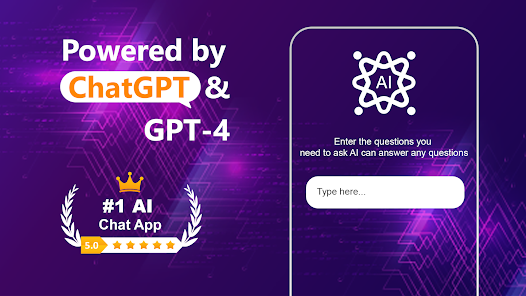
Chat AI - Ask AI anything is a conversational assistant app that puts an AI chatbot right in your pocket. It belongs to the growing category of generative AI tools, designed to let you type questions, commands, or ideas and get instant, human-like responses. People download this for quick answers, creative writing help, or just casual chatting. After installing it from Google Play or the App Store — where it sits as a free download with optional in-app purchases — opening it for the first time feels straightforward. A clean chat screen pops up, a text field at the bottom, and a friendly message saying hello. No complex tutorials, no account setup hurdles. It just works, which is refreshing for a free app. You start typing right away, and it feels less intimidating than some of the bigger AI tools out there.
The actual hands-on experience is where the app sinks in or stumbles. You type a question like 'Explain quantum physics simply' or 'Write a funny poem about cats,' and it replies within seconds. The interface is minimal — a white background, dark chat bubbles, and a send button. Onboarding is basically nonexistent, which is fine for seasoned users but might leave newbies wondering about features like voice input or history saving. Common usage flows naturally: ask something, read the answer, ask a follow-up. Nothing breaks the flow. But there are moments where the AI feels slightly slow or repeats itself, especially with longer queries. One practical tip I found: rephrasing a question if the first answer feels off often works better than just hitting send again. The app also keeps your chat history, so you can scroll back to old conversations — handy for tracking ideas or recipes.
After using Chat AI for a while, I'd say it's a solid tool for anyone who wants a no-fuss AI assistant without signing up for a subscription elsewhere. Students, writers, or curious minds will enjoy its quick responses for research, brainstorming, or just killing time. But power users who need deep integrations or file uploads might find it too basic compared to apps like ChatGPT or Google Gemini. What makes it stand out is the sheer simplicity — no account, no paywalls for basic use, and no clutter. That said, the occasional lag and limited advanced features might push someone to uninstall after a week if they're after more horsepower. I kept mine installed because it's handy for random facts and lists, but I can see why some would drop it for something beefier. It's not a game-changer, but it does what it promises without fuss.
features
- 🧠 Natural Conversations: The AI replies in a way that feels human and casual. Unlike some chatbots that sound robotic, Chat AI manages to keep the tone friendly and contextual. It remembers small details from earlier in the chat, which makes longer conversations feel less disjointed.⚡ Instant Answers: There is almost no waiting time. You type a question and the response pops up within a second or two. Compare this to ChatGPT's free tier, which can sometimes lag or limit requests — this app feels snappier for casual use.🎨 Creative Writing Help: For writers, this is a hidden gem. You can ask it to rewrite paragraphs, generate story ideas, or even mimic different writing styles. It handles creative prompts better than many free alternatives like YouChat, which tends to be more factual than imaginative.🛡️ No Login Required: You can start using it immediately without creating an account. That's a big deal compared to apps like Claude or Gemini, which push for email sign-ups even for basic queries. It respects your privacy right from the start.
pros
- ✅ Lightweight and Fast: The app is small to download and runs smoothly on both old and new phones. In comparison, Google Gemini can feel bloated or slow on weaker devices. Chat AI keeps it lean.✅ User-Friendly Design: Everything is where you'd expect it. The chat interface looks and feels natural, with big buttons and clear text. Contrast that with Poe, which buries features in menus — this app keeps distractions out.✅ Free Core Features: No paywalls for basic conversations. You get solid performance without being pushed into a subscription. ChatGPT's free tier, on the other hand, has limits and slower speeds. This app feels more generous for everyday use.
cons
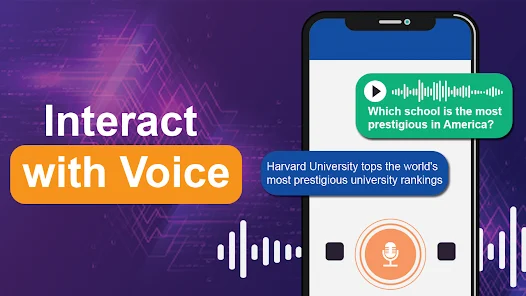
❌ Occasional Repetition: The AI sometimes repeats itself in longer answers. If you ask a complex question, it might circle back to the same point. ChatGPT handles nuance better without looping.❌ Limited Multimedia Support: You can't upload images, files, or voice notes. Apps like Google Gemini let you snap a picture and ask about it. This app is strictly text-only, which limits its usefulness in certain scenarios.❌ No Offline Mode: It requires an internet connection at all times. Unlike some AI tools that offer cached responses, Chat AI goes blank without data. That's a drawback for travelers or anyone in spotty coverage areas.
Articles
![]()
Guide
How to Update Google Play Store on Android 2026
![]()
Guide
How to Download Older Versions of Android Apps
![]()
Guide
How to Download Apps Without Google Play Store
![]()
Guide
What Is an APK File for Android?
If you use an Android phone, you may have seen the term APK while searching for apps or games online. Some websites offer an APK download instead of a Google Play install button. Some users also mention APK files when talking about apps that are not available in their region, older app versions, or Android games downloaded outside the Play Store.
![]()
Guide
How to Install Games from Google Play for Beginners
Installing games on an Android phone is usually simple, but for beginners, the process can still feel confusing at first. You may not know where to search, which button to tap, whether the game is safe, or why Google Play sometimes asks for account settings, storage access, or payment information. If you are using an Android phone for the first time, learning how to install games from Google Play is one of the easiest ways to get started.
![]()
Guide
How Useful Gemini Is for Everyday Questions and Quick Tasks
emini feels different from many AI apps because it is not only trying to be a chatbot. After using it for everyday questions, quick writing, image understanding, and planning, I think its biggest strength is convenience.
![]()
Guide
What to Know Before Downloading APKs
For many Android users, downloading an APK is a common way to install apps and games. Sometimes an app is not available in a certain country.
![]()
Guide
ChatGPT Review: Is It Still the Best AI App in 2026?
![]()
Guide
Seedance 2.0 vs Sora: The Future of AI Video Generation
The AI video race has intensified dramatically over the past two years. Platforms like Sora from OpenAI and Luma Dream Machine pushed the boundaries of text-to-video realism. Yet, despite their impressive outputs, most tools still operate as probabilistic generators—you describe a scene, and the model interprets it. Control remains limited. With the February 2026 release of Seedance 2.0, developed by ByteDance, the paradigm shifted. Internally known as Jimeng 2.0, Seedance does not position itself as just another video model. It positions itself as an AI Director. Rather than guessing what you want, Seedance 2.0 allows you to direct what happens. This distinction defines everything that follows.









Recommended Apps
![]()
Home Design 3D
Anuman4.2
![]()
Truth or Dare Game - Party App
Chouic4.8
![]()
Photo Collage Maker
Scoompa4.7![]()
Learn to Draw Flower
Creative APPS4.2![]()
FIFA World Cup 2026™
FIFA2.8![]()
Mirror Plus: Mirror with Light
Digitalchemy, LLC4.4![]()
Meitu- Photo Editor & AI Art
Meitu (China) Limited4.5![]()
Perplexity - Ask Anything
PerplexityAI4.7![]()
GhostTube SLS Camera Alternate
GhostTube4![]()
Boom Chip Blast: 2-Player
Black Pyramid 3D Games Studio0![]()
Healthy Benefits+
Solutran, Inc.4.5![]()
Deepcheck AI Search Assistant
rohe.ai4![]()
Idol Prank Video Call & Chat
LightCode Solutions4![]()
Face Shape - Pretty Scale
GlintTec Apps3.9![]()
Plant App - Plant Identifier
ScaleUp4.6











































