
Fingerprint Scanner App

10M+
Installs
Zen Solutions Apps
Developer
-
Entertainment
Category
-
Everyone
Content Rating
-
zensolutionsapps@gmail.com
Developer Email
-
https://sites.google.com/view/zen-solutions-apps/privacy
Privacy Policy
Screenshots
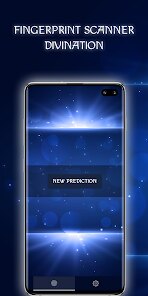
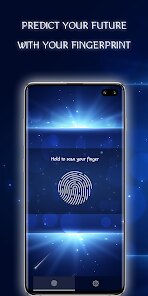
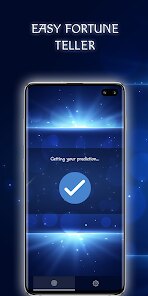
editor reviews
I first came across the Fingerprint Scanner App by Zen Solutions Apps while looking for ways to add an extra layer of security to my phone without relying on the built-in system settings. This app is essentially a lock screen utility that uses your device's fingerprint sensor to block unauthorized access to specific apps or to lock the phone itself. After downloading it from Google Play, the installation took maybe thirty seconds, and the app is free to download, though I noticed it does include ads. My first impression after launching it was actually a bit mixed. The interface feels dated, like something from a few Android versions back, and the app immediately asks for a ton of permissions, including accessibility service access, which made me pause for a second. Still, I figured I'd give it a fair shot to see if it actually worked as promised.
Once you get past the initial setup, the actual usage is straightforward. You pick which apps you want to lock, then set a backup PIN in case the fingerprint reader fails. Every time I opened a locked app, the fingerprint scanner triggered almost instantly, and the authentication felt responsive. The onboarding walks you through the major steps, but it's not exactly polished. I had one moment where I couldn't figure out why the lock wasn't working for my messaging app; turns out I had to manually enable the accessibility service in my system settings, which the app didn't explain clearly. After that, it worked without a hitch. A small tip I discovered by accident is that you can actually adjust the lock delay, so the app doesn't re-lock right after you unlock it, which saves a ton of irritation when switching between apps quickly.
After using this app for about a week, I have mixed feelings. On one hand, it does exactly what it says: it locks apps behind your fingerprint. It's handy if you hand your phone to a friend and don't want them scrolling through your photos or messages. On the other hand, the constant ads are annoying, and the design feels clunky compared to something like AppLock. I can see someone who wants a no-fuss fingerprint lock without spending a dime keeping this installed, but anyone used to cleaner interfaces like Norton App Lock will likely find this one a bit rough around the edges. Honestly, I'll probably uninstall it after a while because the ads just break the flow too often.
features
- 🔒 The main feature is locking individual apps behind your fingerprint sensor. I set it up to lock my gallery and messaging apps, and every time I opened them, the scanner popped up and verified my print within a second. It's more reliable than some similar apps I tried, like AppLock, which sometimes glitch and don't detect the fingerprint at all.
- ⚙️ You can set a backup PIN or pattern, which is smart because fingerprint scanners don't always work if your hands are wet or dirty. Most competing apps, like Smart AppLock, force you into a PIN-only fallback, but this one at least offers both options seamlessly.
- 📱 The app runs in the background without draining the battery too much. I checked my battery stats after a few days, and it only used around 2%, which is better than something like LockIT, which can spike to 5% or more in my experience.
- 🛡️ It also includes a "stealth mode" that hides the lock screen icon, so someone borrowing your phone doesn't even know an app lock is active. I found that more subtle compared to the big padlock icons other lockers like Locker Master plaster everywhere.
pros
- One big strength is how quick the fingerprint response is. Compared to AppLock, which sometimes takes a full second to recognize the print, this app felt nearly instant on my phone.
- Another plus is the simple setup. I didn't need to create an account or sign up, unlike some privacy lockers that ask for email registration, which just feels unnecessary.
- The accessibility service integration allows it to lock apps without interfering with system animations, so my phone didn't slow down at all. That's a clear improvement over older apps like Smart AppLock that cause visible lag when switching apps.
cons
- The biggest downside is the ads. Every few unlocks, a full-screen video ad pops up, and it completely breaks the flow. Competitors like Norton App Lock have a very clean experience with no forced ads.
- The interface looks like it's stuck in 2015, with outdated icons and clunky menus. When you compare it to the modern look of AppLock Premium, it feels half-baked.
- It also requires accessibility permission, which some users might feel uncomfortable granting, especially since the explanation for why it's needed is vague. Other locks like Vaulty avoid this entirely.
- Finally, it doesn't work well on all devices, especially older models or Xiaomi phones where the fingerprint sensor behaves differently, whereas apps like FingerSecurity have better device compatibility lists.
Articles
![]()
Guide
How to Update Google Play Store on Android 2026
![]()
Guide
How to Download Older Versions of Android Apps
![]()
Guide
How to Download Apps Without Google Play Store
![]()
Guide
What Is an APK File for Android?
If you use an Android phone, you may have seen the term APK while searching for apps or games online. Some websites offer an APK download instead of a Google Play install button. Some users also mention APK files when talking about apps that are not available in their region, older app versions, or Android games downloaded outside the Play Store.
![]()
Guide
How to Install Games from Google Play for Beginners
Installing games on an Android phone is usually simple, but for beginners, the process can still feel confusing at first. You may not know where to search, which button to tap, whether the game is safe, or why Google Play sometimes asks for account settings, storage access, or payment information. If you are using an Android phone for the first time, learning how to install games from Google Play is one of the easiest ways to get started.
![]()
Guide
How Useful Gemini Is for Everyday Questions and Quick Tasks
emini feels different from many AI apps because it is not only trying to be a chatbot. After using it for everyday questions, quick writing, image understanding, and planning, I think its biggest strength is convenience.
![]()
Guide
What to Know Before Downloading APKs
For many Android users, downloading an APK is a common way to install apps and games. Sometimes an app is not available in a certain country.
![]()
Guide
ChatGPT Review: Is It Still the Best AI App in 2026?
![]()
Guide
Seedance 2.0 vs Sora: The Future of AI Video Generation
The AI video race has intensified dramatically over the past two years. Platforms like Sora from OpenAI and Luma Dream Machine pushed the boundaries of text-to-video realism. Yet, despite their impressive outputs, most tools still operate as probabilistic generators—you describe a scene, and the model interprets it. Control remains limited. With the February 2026 release of Seedance 2.0, developed by ByteDance, the paradigm shifted. Internally known as Jimeng 2.0, Seedance does not position itself as just another video model. It positions itself as an AI Director. Rather than guessing what you want, Seedance 2.0 allows you to direct what happens. This distinction defines everything that follows.









Recommended Apps
![]()
Home Design 3D
Anuman4.2
![]()
Truth or Dare Game - Party App
Chouic4.8
![]()
Photo Collage Maker
Scoompa4.7![]()
Learn to Draw Flower
Creative APPS4.2![]()
FIFA World Cup 2026™
FIFA2.8![]()
Mirror Plus: Mirror with Light
Digitalchemy, LLC4.4![]()
Meitu- Photo Editor & AI Art
Meitu (China) Limited4.5![]()
Perplexity - Ask Anything
PerplexityAI4.7![]()
GhostTube SLS Camera Alternate
GhostTube4![]()
Boom Chip Blast: 2-Player
Black Pyramid 3D Games Studio0![]()
Healthy Benefits+
Solutran, Inc.4.5![]()
Deepcheck AI Search Assistant
rohe.ai4![]()
Idol Prank Video Call & Chat
LightCode Solutions4![]()
Face Shape - Pretty Scale
GlintTec Apps3.9![]()
Plant App - Plant Identifier
ScaleUp4.6












































