

Prank Call & Funny Video

1M+
Installs
TeH Software
Developer
-
Entertainment
Category
-
Teen
Content Rating
-
cuong.sdvl@gmail.com
Developer Email
-
https://sites.google.com/view/tung-tung-sahur-prank-call
Privacy Policy
Screenshots
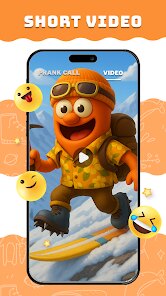
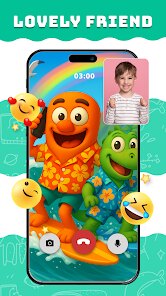
editor reviews
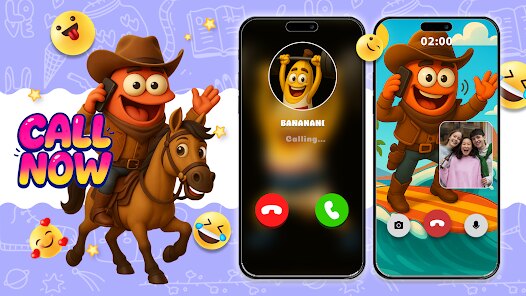
So there's this app called Prank Call & Funny Video, and as the name suggests, it's a prank and entertainment app built around fake call screens and a collection of short, funny videos. The idea is pretty straightforward: you can set up a fake incoming call screen that looks realistic enough to fool whoever's around you, or just browse and laugh at curated clips. I came across it on Google Play, and it's a free download with ads here and there, plus an in-app purchase option if you want to ditch the interruptions. After installing and launching it, my first impression was that the interface felt a bit cluttered, like too many buttons and banners crammed into one screen, but the core purpose is clear from the start: either prank someone or kill time with videos.
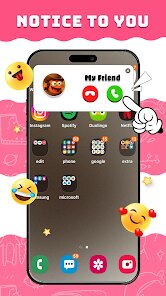
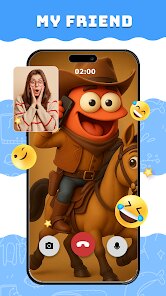
Once you actually start using it, the fake call feature is where the app tries to shine. You pick a contact name, choose a ringtone, set a delay timer, and then the app will simulate a real incoming call complete with a caller ID screen and vibration. It's honestly pretty effective if you want to pretend a call is coming in during a boring meeting or awkward conversation. The video section is more of a mixed bag, though. You can scroll through a feed of short clips, mostly user-generated or pulled from viral sources, and the video player works fine, but the content quality is hit or miss. Some videos are genuinely funny, others feel like random filler. The app also includes a few video editing tools, like trimming or adding text, but they're basic and not exactly intuitive. What I found annoying is that every few swipes or taps, an ad pops up, which breaks the flow, especially when you're trying to set up a prank quickly.
After spending some time with Prank Call & Funny Video, I'd say it's a decent time waster if you're into pranks and don't mind the rough edges. It's not polished like apps such as Prank Call 2 or Funny Videos Free, but it gives you both prank tools and video content in one package, which can be handy. The fake call feature works reliably, and that's probably why someone might keep it installed for occasional laughs or social escapes. On the flip side, the amount of ads and the inconsistent video quality might push more demanding users to uninstall it after a week. I think it's really aimed at casual users who want something quick and silly, not people looking for a stable, ad-free experience. It does its job, but it won't blow your mind.
features
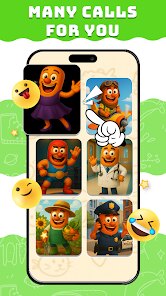
- 📞 Fake Incoming Call Customization – You can set caller name, photo, ringtone, and delay timer, which makes the prank feel surprisingly real. Compared to Zedge's prank tools, this app gives you more control over the timing, so you can actually plan when the “call” comes in rather than just faking a ring sound.
- 🎬 Video Feed with Basic Editing – The app includes a scrollable video section packed with short clips, plus basic trimming and text overlay tools. It's not as deep as a full editor like CapCut, but for quick giggles and simple edits, it covers the ground without overwhelming you with menus and options.
- 📲 Offline Prank Mode – Once the prank screen is set, it doesn't need a stable internet connection to work, which is a big plus when you're in a spot with poor signal or traveling on a subway. Apps like Prank Call 2 sometimes require online verification, but this one lets you pull it off anytime anywhere without wifi worries.
pros
- 👍 Realistic Caller Screen – The simulated incoming call looks almost identical to a real Android call interface, right down to the slider animation and contact photo placement. Zedge's prank calls look a bit cartoonish in comparison, so this one feels more convincing when you need to sell the trick in a serious situation.
- 👍 Dual Functionality – You get both prank tools and funny videos under one roof, so you don't have to switch between two separate apps. Users who prefer Funny Videos Free for laughs might find this hybrid approach saves them from juggling multiple downloads and accounts.
- 👍 Lightweight Size – The app is relatively small, around 10 MB, so it installs fast and doesn't hog storage space on budget phones or older devices. This makes it a better pick than something like WhatsApp, which eats up hundreds of MBs just to support video sharing without any prank features.
cons
- 👎 Excessive Ad Interruption – Every few actions trigger a full-screen ad, sometimes mid-video or while setting up a prank. Prank Call 2 has a similar ad load, but apps like Dialed In offer a much cleaner, less interruptive experience, which makes this one feel more like a ad delivery system than a practical tool.
- 👎 Video Quality Is Inconsistent – Many clips look pixelated or clearly compressed, and the library doesn't get updated often enough. Funny Videos Free curates its feed better with higher resolution and fresh sources, so you might feel stuck with stale content here.
- 👎 Limited Editing Precision – The video trimming tool is clunky and doesn't allow frame-by-frame fine-tuning, which can be frustrating if you want to make a clean cut. CapCut or InShot let you edit down to milliseconds, so for any serious video work, this app falls way short of those standards.
- 👎 Occasional Crashes on Older Devices – During testing on a phone with Android 9, the app froze a few times when switching between the prank menu and video player. Other users on forums mention similar stability hiccups, while Zedge runs smoother on the same hardware without those random freezes.
Articles
![]()
Guide
How to Update Google Play Store on Android 2026
![]()
Guide
How to Download Older Versions of Android Apps
![]()
Guide
How to Download Apps Without Google Play Store
![]()
Guide
What Is an APK File for Android?
If you use an Android phone, you may have seen the term APK while searching for apps or games online. Some websites offer an APK download instead of a Google Play install button. Some users also mention APK files when talking about apps that are not available in their region, older app versions, or Android games downloaded outside the Play Store.
![]()
Guide
How to Install Games from Google Play for Beginners
Installing games on an Android phone is usually simple, but for beginners, the process can still feel confusing at first. You may not know where to search, which button to tap, whether the game is safe, or why Google Play sometimes asks for account settings, storage access, or payment information. If you are using an Android phone for the first time, learning how to install games from Google Play is one of the easiest ways to get started.
![]()
Guide
How Useful Gemini Is for Everyday Questions and Quick Tasks
emini feels different from many AI apps because it is not only trying to be a chatbot. After using it for everyday questions, quick writing, image understanding, and planning, I think its biggest strength is convenience.
![]()
Guide
What to Know Before Downloading APKs
For many Android users, downloading an APK is a common way to install apps and games. Sometimes an app is not available in a certain country.
![]()
Guide
ChatGPT Review: Is It Still the Best AI App in 2026?
![]()
Guide
Seedance 2.0 vs Sora: The Future of AI Video Generation
The AI video race has intensified dramatically over the past two years. Platforms like Sora from OpenAI and Luma Dream Machine pushed the boundaries of text-to-video realism. Yet, despite their impressive outputs, most tools still operate as probabilistic generators—you describe a scene, and the model interprets it. Control remains limited. With the February 2026 release of Seedance 2.0, developed by ByteDance, the paradigm shifted. Internally known as Jimeng 2.0, Seedance does not position itself as just another video model. It positions itself as an AI Director. Rather than guessing what you want, Seedance 2.0 allows you to direct what happens. This distinction defines everything that follows.









Recommended Apps
![]()
Home Design 3D
Anuman4.2
![]()
Truth or Dare Game - Party App
Chouic4.8
![]()
Photo Collage Maker
Scoompa4.7![]()
Learn to Draw Flower
Creative APPS4.2![]()
FIFA World Cup 2026™
FIFA2.8![]()
Mirror Plus: Mirror with Light
Digitalchemy, LLC4.4![]()
Meitu- Photo Editor & AI Art
Meitu (China) Limited4.5![]()
Perplexity - Ask Anything
PerplexityAI4.7![]()
GhostTube SLS Camera Alternate
GhostTube4![]()
Boom Chip Blast: 2-Player
Black Pyramid 3D Games Studio0![]()
Healthy Benefits+
Solutran, Inc.4.5![]()
Deepcheck AI Search Assistant
rohe.ai4![]()
Idol Prank Video Call & Chat
LightCode Solutions4![]()
Face Shape - Pretty Scale
GlintTec Apps3.9![]()
Plant App - Plant Identifier
ScaleUp4.6












































