
SillyGlow: Smile Wallpaper 4K

100K+
Installs
BizApp Inc.
Developer
-
Productivity
Category
-
Everyone 10+
Content Rating
-
haphuong4251@gmail.com
Developer Email
-
https://docs.google.com/document/d/e/2PACX-1vQMVXFFZmPjoJnk0xJvLxSrDvOVfAUTXvO396dgYdZzqUhlKgistZBMYL1p86t3kp_QctYU8dDpZt54/pub
Privacy Policy
Screenshots
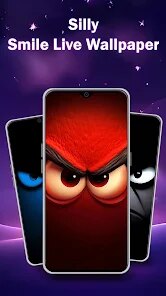
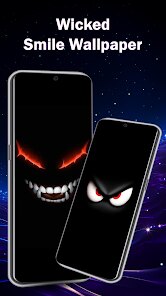
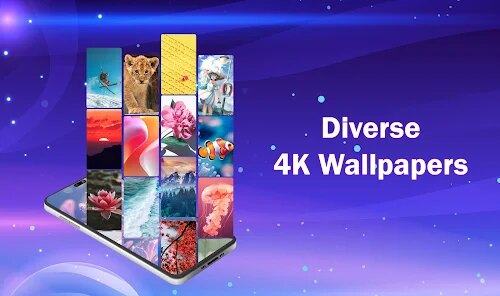
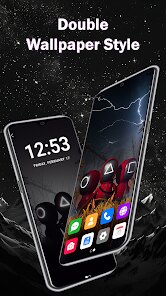
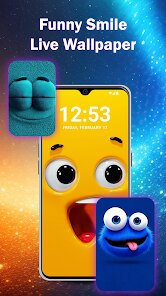
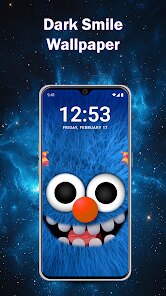
editor reviews
I came across SillyGlow: Smile Wallpaper 4K on the Google Play store a few weeks ago. It's a wallpaper app, pure and simple, focused entirely on offering high-resolution images centered around smiles, happy faces, and bright, uplifting themes. You download it, install it, and within seconds you're flipping through categories like "Cute Smiles" or "Anime Laughs." The first impression is pretty straightforward: it loads fast, the interface is clean, and there's no annoying registration wall. You can start browsing wallpapers immediately. It's free to install, though like most apps of this kind, there are in-app purchases to unlock the full 4K collection or remove ads. What struck me right away was how narrow the theme is — it's literally just smile-related imagery — which makes it feel almost gimmicky at first. But if you're someone who likes changing their wallpaper daily for a mood boost, it makes some sense.
Once you actually start using it, the app flows pretty well. The home screen shows a grid of thumbnails, and tapping one gives you a preview with a "Set Wallpaper" button right below. You can also save images to your device, which is handy. There's a search bar, but honestly, with such a specific theme, you don't really need it. Scrolling through categories like "Nature Smiles" or "Cartoon Smiles" is enough. One thing I noticed: the app sometimes stutters when loading larger preview images, especially if you have a slower connection. Onboarding is minimal — a quick swipe tutorial that shows you the basics, no overbearing walkthrough. A small tip: if you find a wallpaper you like but the resolution isn't there, check the "HD" toggle before downloading; it saves you from grabbing a blurry version. I also liked that you can set a random wallpaper to change automatically every few hours, which is a nice touch for those who want variety without manual effort.
After using SillyGlow for a while, my feeling is mixed but leaning positive. If you enjoy bright, cheerful aesthetics and change your wallpaper often, this app delivers exactly that without clutter. On the flip side, if you're after deep customization or a huge library of diverse themes, you'll be disappointed. Compared to something like Zedge, which offers wallpapers, ringtones, and a huge variety of categories, SillyGlow feels extremely niche. That's not necessarily bad — some people prefer focused apps over jack-of-all-trades ones. What stands out to me is the 4K quality; many wallpapers genuinely look sharp and vibrant on my OLED screen. However, the ad frequency is a bit annoying. Every few downloads, a full-screen video ad pops up, which makes the free experience a little grating. I kept it installed because I found a few wallpapers I genuinely liked, but I can see many users uninstalling it after a week or two unless they pay to remove ads.
features
- 😊 Specialized Smile Collection: Unlike apps like Zedge or Walli that scatter random themes, SillyGlow dedicates its entire library to smile-related imagery. If you want a wallpaper that literally makes you feel happy every time you unlock your phone, this is it. The 4K quality is consistent across most images, which isn't always the case on generic platforms.
- 😊 Automatic Daily Refresh: The app includes a feature to automatically change your wallpaper based on your selected category or a favorite list. This is something Zedge offers too, but SillyGlow implements it more smoothly with fewer permissions required. You just set it and forget it.
- 😊 Clean, Ad-Limited Interface: While there are ads, they don't flood the browsing experience. Most of the screen space is dedicated to wallpapers. The interface feels lighter than Walli's illustration-heavy design, making navigation faster for a specific task like finding a cheerful background.
- 😊 Free Full-Resolution Previews: Many wallpaper apps force you to watch an ad just to see the full 4K preview before downloading. SillyGlow lets you preview most wallpapers at near-full resolution without interruption, which saves a lot of time if you're picky.
pros
- 🌟 4K Quality Consistency: SillyGlow ensures that even free wallpapers maintain high resolution, unlike Zedge where many free options are compressed. This makes a real difference on modern phones with sharp screens.
- 🌟 No Account Required: You can download and set wallpapers without any sign-up. Apps like Walli require an account to save favorites, which can be a hassle. SillyGlow keeps it simple and anonymous.
- 🌟 Focused Curation: Instead of hundreds of random categories, SillyGlow has about 10 well-organized smile-oriented ones. This reduces choice fatigue and makes it easier to find what you like, compared to overwhelming libraries on other platforms.
cons
- ⚠️ Limited Theme Variety: If you want dark, abstract, or nature wallpapers without smiles, this app has almost nothing for you. Zedge or Backdrops offer much broader choices for different moods and aesthetics.
- ⚠️ Ad Frequency During Downloads: While browsing is fine, every 3-4 downloads trigger a full-screen video ad. It's more intrusive than Walli's discreet banner ads, and it breaks the flow when you're experimenting with multiple wallpapers.
- ⚠️ No Social or Community Features: Unlike Walli, which lets you follow artists and see trending wallpapers, SillyGlow has zero social elements. You're just browsing a fixed collection, which can feel stale over time.
- ⚠️ Image Duplication: I noticed several wallpapers that looked almost identical, just with slight color tweaks. It feels like filler content. Competing apps usually have stricter curation to avoid this issue.
Articles
![]()
Guide
How to Update Google Play Store on Android 2026
![]()
Guide
How to Download Older Versions of Android Apps
![]()
Guide
How to Download Apps Without Google Play Store
![]()
Guide
What Is an APK File for Android?
If you use an Android phone, you may have seen the term APK while searching for apps or games online. Some websites offer an APK download instead of a Google Play install button. Some users also mention APK files when talking about apps that are not available in their region, older app versions, or Android games downloaded outside the Play Store.
![]()
Guide
How to Install Games from Google Play for Beginners
Installing games on an Android phone is usually simple, but for beginners, the process can still feel confusing at first. You may not know where to search, which button to tap, whether the game is safe, or why Google Play sometimes asks for account settings, storage access, or payment information. If you are using an Android phone for the first time, learning how to install games from Google Play is one of the easiest ways to get started.
![]()
Guide
How Useful Gemini Is for Everyday Questions and Quick Tasks
emini feels different from many AI apps because it is not only trying to be a chatbot. After using it for everyday questions, quick writing, image understanding, and planning, I think its biggest strength is convenience.
![]()
Guide
What to Know Before Downloading APKs
For many Android users, downloading an APK is a common way to install apps and games. Sometimes an app is not available in a certain country.
![]()
Guide
ChatGPT Review: Is It Still the Best AI App in 2026?
![]()
Guide
Seedance 2.0 vs Sora: The Future of AI Video Generation
The AI video race has intensified dramatically over the past two years. Platforms like Sora from OpenAI and Luma Dream Machine pushed the boundaries of text-to-video realism. Yet, despite their impressive outputs, most tools still operate as probabilistic generators—you describe a scene, and the model interprets it. Control remains limited. With the February 2026 release of Seedance 2.0, developed by ByteDance, the paradigm shifted. Internally known as Jimeng 2.0, Seedance does not position itself as just another video model. It positions itself as an AI Director. Rather than guessing what you want, Seedance 2.0 allows you to direct what happens. This distinction defines everything that follows.









Recommended Apps
![]()
Home Design 3D
Anuman4.2
![]()
Truth or Dare Game - Party App
Chouic4.8
![]()
Photo Collage Maker
Scoompa4.7![]()
Learn to Draw Flower
Creative APPS4.2![]()
FIFA World Cup 2026™
FIFA2.8![]()
Mirror Plus: Mirror with Light
Digitalchemy, LLC4.4![]()
Meitu- Photo Editor & AI Art
Meitu (China) Limited4.5![]()
Perplexity - Ask Anything
PerplexityAI4.7![]()
GhostTube SLS Camera Alternate
GhostTube4![]()
Boom Chip Blast: 2-Player
Black Pyramid 3D Games Studio0![]()
Healthy Benefits+
Solutran, Inc.4.5![]()
Deepcheck AI Search Assistant
rohe.ai4![]()
Idol Prank Video Call & Chat
LightCode Solutions4![]()
Face Shape - Pretty Scale
GlintTec Apps3.9![]()
Plant App - Plant Identifier
ScaleUp4.6











































