

Japan Timetable & Route Search

5M+
Installs
NAVITIME JAPAN CO., LTD.
Developer
-
Travel & Local
Category
-
Rated for 3+
Content Rating
-
navitime_support+transfer@navitime.co.jp
Developer Email
-
https://touch.navitime.co.jp/touchstorage/html/app/transfer/common/privacy.html
Privacy Policy
Screenshots
editor reviews
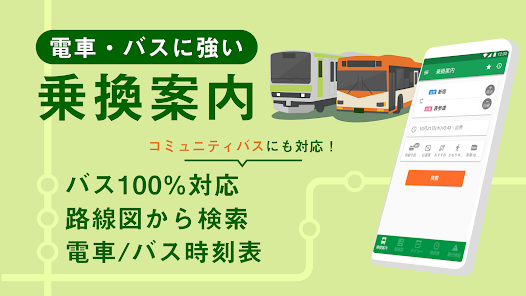
Japan Timetable & Route Search from NAVITIME JAPAN CO., LTD. is essentially your go-to travel companion for getting around Japan via public transport. It's a navigation and transit app specifically designed for Japan's rail and bus networks. If you ever get overwhelmed by the Tokyo subway or the Shinkansen system, this app is a lifesaver for planning trips, checking exact train times, and figuring out the best routes from A to B. Most travelers download this before a trip because Google Maps can get clunky with local details. Opening it for the first time feels a bit dense—the interface is packed with info, and it's clear that the developers prioritized function over flash. It's free to download and install, though registration unlocks some premium perks, and you will encounter the occasional ad unless you pay for the ad-free version.
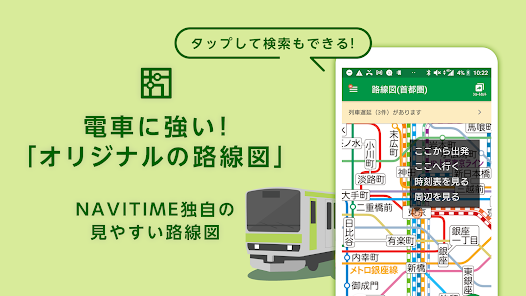
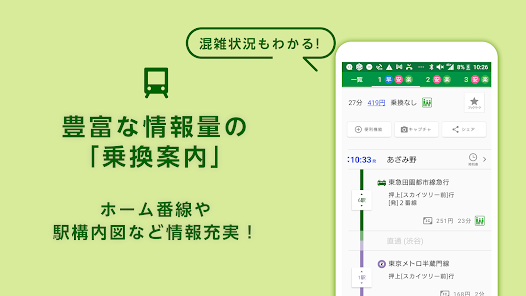
Once you start using it, the hands-on experience is pretty smooth if you take a minute to orient yourself. After launching, you typically put in your start point and destination; it can pull from your GPS location or you can type manually. The main screen shows multiple route options sorted by time, cost, or number of transfers. During daily use, you'll tap on a route to see the full timetable for each leg, including platform numbers and real-time delays. A small tip is to use the "last train" search if you're out late—it even shows alternative walking paths if you miss it. The interface isn't the prettiest, but it's functional, and you rarely get lost once you get used to the layout.
After spending a few days with this app, I feel it's best for travelers who rely heavily on trains and buses, especially foreign tourists or business commuters. People who only need casual subway help might not get much out of it over Google Maps. What sets Japan Timetable apart is its pinpoint accuracy for local lines—like private railways and local buses that other apps skip. It also lets you filter by "no reserved seats" or "avoid crowded trains," which is a nice touch. I can see someone keeping it installed for a full trip if they explore rural areas, but it might get uninstalled quickly if you just stick to central Tokyo and already have a SIM card. Compared to Hyperdia or Jorudan, this feels more modern and updates faster, though Hyperdia still wins on offline usability.
features
- 📅 The route search is incredibly granular. You can pick specific timetables for tomorrow, next week, or even set a “last train” alarm. It also breaks down fares by ticket type (IC card vs paper ticket) and shows how many stops to the next transfer. This level of detail beats Google Maps when you need to catch a specific local line that only runs every hour.
- ✅ Filtering options are its standout feature. You can choose “avoid crowded trains,” “no stairs or escalators,” or even “use only JR lines.” For travelers with luggage or mobility issues, this is a godsend. It also shows walking paths between platforms if you have to switch lines—a small but huge help in big stations like Shinjuku.
- 🚇 Real-time updates are solid. It pulls live delay info from train operators and adjusts your ETA accordingly. I've tested it during morning rush hour in Osaka, and it perfectly recalculated a route after a minor delay on the Midosuji Line. It's faster than Hyperdia in this regard, though Hyperdia still has better offline support.
pros
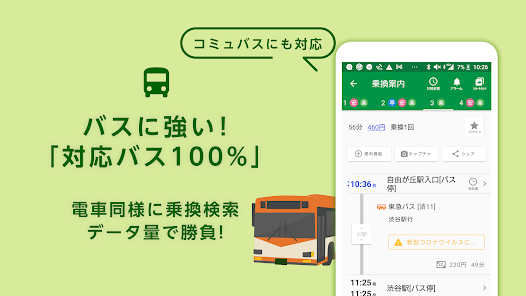
- ⭐ Real-time alerts and delay rerouting are much faster than Hyperdia and more accurate than Google Maps for local bus schedules. For instance, if a bus is cancelled, it suggests an alternative within seconds and recalculates costs
- ⭐ Filter for “avoid crowded trains” during commuting is unique and actually works well—based on historical data from JR East. You won't find this in Jorudan or most other apps
- ⭐ Fares include multiple ticket types (PASMO, Suica, paper, etc.) and warn you if a route requires a non-IC card purchase. Great for tourists who don't want to hunt for ticket machines
cons
- 😔 The interface is cluttered and feels dated compared to Google Maps. Too much text on one screen, and icons aren't always intuitive for first-time users
- 😔 Offline mode is weak. You can save routes, but navigation requires data. Hyperdia works better when you have no SIM or roaming—its offline database is more comprehensive
- 😔 Ads can be intrusive in the free version. They pop up after route searches and sometimes cover the “search again” button, which is annoying when you're rushing
- 😔 Some local lines in rural areas (like Hokkaido or Kyushu) are missing or have outdated schedules. It's great for major cities, but not perfect for off-the-beaten-path travel
Articles
![]()
Guide
How to Update Google Play Store on Android 2026
![]()
Guide
How to Download Older Versions of Android Apps
![]()
Guide
How to Download Apps Without Google Play Store
![]()
Guide
What Is an APK File for Android?
If you use an Android phone, you may have seen the term APK while searching for apps or games online. Some websites offer an APK download instead of a Google Play install button. Some users also mention APK files when talking about apps that are not available in their region, older app versions, or Android games downloaded outside the Play Store.
![]()
Guide
How to Install Games from Google Play for Beginners
Installing games on an Android phone is usually simple, but for beginners, the process can still feel confusing at first. You may not know where to search, which button to tap, whether the game is safe, or why Google Play sometimes asks for account settings, storage access, or payment information. If you are using an Android phone for the first time, learning how to install games from Google Play is one of the easiest ways to get started.
![]()
Guide
How Useful Gemini Is for Everyday Questions and Quick Tasks
emini feels different from many AI apps because it is not only trying to be a chatbot. After using it for everyday questions, quick writing, image understanding, and planning, I think its biggest strength is convenience.
![]()
Guide
What to Know Before Downloading APKs
For many Android users, downloading an APK is a common way to install apps and games. Sometimes an app is not available in a certain country.
![]()
Guide
ChatGPT Review: Is It Still the Best AI App in 2026?
![]()
Guide
Seedance 2.0 vs Sora: The Future of AI Video Generation
The AI video race has intensified dramatically over the past two years. Platforms like Sora from OpenAI and Luma Dream Machine pushed the boundaries of text-to-video realism. Yet, despite their impressive outputs, most tools still operate as probabilistic generators—you describe a scene, and the model interprets it. Control remains limited. With the February 2026 release of Seedance 2.0, developed by ByteDance, the paradigm shifted. Internally known as Jimeng 2.0, Seedance does not position itself as just another video model. It positions itself as an AI Director. Rather than guessing what you want, Seedance 2.0 allows you to direct what happens. This distinction defines everything that follows.









Recommended Apps
![]()
Home Design 3D
Anuman4.2
![]()
Truth or Dare Game - Party App
Chouic4.8
![]()
Photo Collage Maker
Scoompa4.7![]()
Learn to Draw Flower
Creative APPS4.2![]()
FIFA World Cup 2026™
FIFA2.8![]()
Mirror Plus: Mirror with Light
Digitalchemy, LLC4.4![]()
Meitu- Photo Editor & AI Art
Meitu (China) Limited4.5![]()
Perplexity - Ask Anything
PerplexityAI4.7![]()
GhostTube SLS Camera Alternate
GhostTube4![]()
Boom Chip Blast: 2-Player
Black Pyramid 3D Games Studio0![]()
Healthy Benefits+
Solutran, Inc.4.5![]()
Deepcheck AI Search Assistant
rohe.ai4![]()
Idol Prank Video Call & Chat
LightCode Solutions4![]()
Face Shape - Pretty Scale
GlintTec Apps3.9![]()
Plant App - Plant Identifier
ScaleUp4.6











































