
AI Face Swap: MagicFace &Photo

10K+
Installs
Braly JSC
Developer
-
Video Players & Editors
Category
-
Rated for 3+
Content Rating
-
feedback.neo@bralyvn.com
Developer Email
-
https://bralyvn.com/privacy-policy.php
Privacy Policy
Screenshots
editor reviews
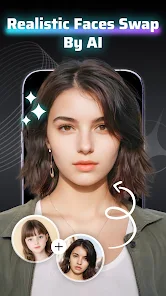
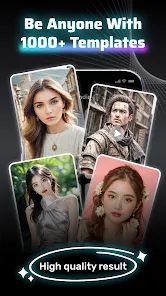
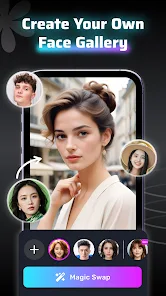
My phone has become a repository of half-forgotten apps, and Braly JSC's AI Face Swap: MagicFace & Photo is one of those impulse downloads that stuck around. It's a straightforward face-swapping utility, squarely in the media editing niche, but instead of deepfakes for videos, it focuses on still images. You'd grab it from Google Play or the App Store basically to play around with swapping your face onto celebrities, friends, or random stock photos. I remember the first launch feeling surprisingly clean—no immediate ad spam or forced login. The initial screen shows a few demo swaps, and it took me maybe thirty seconds to grant photo permissions and start fiddling. The install base is decent, and while the core swapper is free, you quickly bump into a paywall for removing watermarks or accessing premium templates.
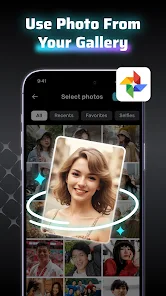
The real hands-on experience is where this app either wins you over or frustrates you. After tapping “Face Swap,” you pick a source face and a target image. The app scans for faces, and you can usually adjust the alignment manually if the auto-detect messes up, which happens with tricky angles or side profiles. The album interface for selecting photos is clear, but loading times for high-resolution images can hang for a few seconds. The actual swapping is mostly snappy: you get a preview, and the blending tools let you tweak skin tone or opacity to make it look less like a glued-on mask. One small tip—using well-lit, front-facing portraits works way better than group shots where multiple faces get confused. The app does not handle hands or overlapping objects well, so you often end up with that telltale blurry edge around the swapped area. Still, for a quick laugh with your group chat, it does the job without too many steps.
After a few weeks, I have mixed feelings about keeping it around. The novelty wears off fast, especially since the free version stamps a watermark across every output. You can bypass it by screenshotting, but the quality takes a hit. It is great for party photos or those “what would I look like as a movie star” moments, but anyone serious about seamless face swapping should probably look at something like FaceApp or Reface, which handle lighting and blending more naturally. For the casual user who just wants five minutes of fun and does not mind the limits, MagicFace is fine. Personally, I uninstalled it after a month because the constant “upgrade to Pro” prompts wore me down, and the novelty just was not worth the clutter.
features
- 👍 Quality-First Swaps – Unlike Reface, which works its magic on video and requires processing time, MagicFace gives you surprisingly crisp results on static images. The face mapping feels tighter because you can manually adjust anchor points to match jawlines or foreheads, something Reface lacks for stills. The output resolution is good enough for sharing without people immediately calling fake.
- 👍 Batch Swap Mode – You can select up to five faces from a single photo and swap all of them at once. For group shots or memes with multiple people, this is a rare find. Most competing apps, like Snapchat's face swap, only handle one pair, so this feature cuts down on repetitive work.
- 👍 Gender and Age Filters – There is a built-in library that lets you add secondary effects like making a face look younger, older, or reversing gender. It is not groundbreaking, but it smooths over the swap if the face shapes mismatch. FaceApp does this better in its own category, but MagicFace combines it directly into the swap workflow.
pros
- ✨ No Sign-Up Required – You can download and start swapping immediately without handing over an email or phone number. Apps like Faceswap often force account creation before you even see the interface, which MagicFace avoids.
- ✨ Lightweight Download – The app bundle is under 50 MB on Android, so it does not hog storage compared to Reface, which eats up over 150 MB with its video processing libraries. Great for phones with limited space.
- ✨ Selective Face Detection – When you have multiple people in a frame, you can choose which faces to swap and leave others untouched. That is more precise than the blanket detection in Snapchat or Instagram filters, which sometimes swap the wrong person.
cons
- ⚠️ Intrusive Watermark – Every free export has a pop-up watermark in the corner. You need the $5 monthly subscription to remove it, which feels steep for a utility app. Reface lets you try its watermark-free option during a trial, while here it is an instant paywall.
- ⚠️ Low-Light Failures – The app struggles badly with dim or shadowed photos. Faces get misaligned or distorted, and the blending tool becomes useless. FaceApp handles low-light much better thanks to built-in AI enhancement.
- ⚠️ No Undo Button – If you mess up a manual adjustment, there is no way to revert to the auto-detected state. You have to delete the whole project and restart, which gets annoying quickly. Competitors like Faceswap have a proper history panel.
- ⚠️ Annoying Ads – While the app launches without a pop-up, you will see full-screen video ads between every successful swap. It is tolerable for a few uses, but over time it drives you toward the premium version or straight to uninstalling.
Articles
![]()
Guide
How to Update Google Play Store on Android 2026
![]()
Guide
How to Download Older Versions of Android Apps
![]()
Guide
How to Download Apps Without Google Play Store
![]()
Guide
What Is an APK File for Android?
If you use an Android phone, you may have seen the term APK while searching for apps or games online. Some websites offer an APK download instead of a Google Play install button. Some users also mention APK files when talking about apps that are not available in their region, older app versions, or Android games downloaded outside the Play Store.
![]()
Guide
How to Install Games from Google Play for Beginners
Installing games on an Android phone is usually simple, but for beginners, the process can still feel confusing at first. You may not know where to search, which button to tap, whether the game is safe, or why Google Play sometimes asks for account settings, storage access, or payment information. If you are using an Android phone for the first time, learning how to install games from Google Play is one of the easiest ways to get started.
![]()
Guide
How Useful Gemini Is for Everyday Questions and Quick Tasks
emini feels different from many AI apps because it is not only trying to be a chatbot. After using it for everyday questions, quick writing, image understanding, and planning, I think its biggest strength is convenience.
![]()
Guide
What to Know Before Downloading APKs
For many Android users, downloading an APK is a common way to install apps and games. Sometimes an app is not available in a certain country.
![]()
Guide
ChatGPT Review: Is It Still the Best AI App in 2026?
![]()
Guide
Seedance 2.0 vs Sora: The Future of AI Video Generation
The AI video race has intensified dramatically over the past two years. Platforms like Sora from OpenAI and Luma Dream Machine pushed the boundaries of text-to-video realism. Yet, despite their impressive outputs, most tools still operate as probabilistic generators—you describe a scene, and the model interprets it. Control remains limited. With the February 2026 release of Seedance 2.0, developed by ByteDance, the paradigm shifted. Internally known as Jimeng 2.0, Seedance does not position itself as just another video model. It positions itself as an AI Director. Rather than guessing what you want, Seedance 2.0 allows you to direct what happens. This distinction defines everything that follows.









Recommended Apps
![]()
Home Design 3D
Anuman4.2
![]()
Truth or Dare Game - Party App
Chouic4.8
![]()
Photo Collage Maker
Scoompa4.7![]()
Learn to Draw Flower
Creative APPS4.2![]()
FIFA World Cup 2026™
FIFA2.8![]()
Mirror Plus: Mirror with Light
Digitalchemy, LLC4.4![]()
Meitu- Photo Editor & AI Art
Meitu (China) Limited4.5![]()
Perplexity - Ask Anything
PerplexityAI4.7![]()
GhostTube SLS Camera Alternate
GhostTube4![]()
Boom Chip Blast: 2-Player
Black Pyramid 3D Games Studio0![]()
Healthy Benefits+
Solutran, Inc.4.5![]()
Deepcheck AI Search Assistant
rohe.ai4![]()
Idol Prank Video Call & Chat
LightCode Solutions4![]()
Face Shape - Pretty Scale
GlintTec Apps3.9![]()
Plant App - Plant Identifier
ScaleUp4.6












































