
Customuse: Skins Maker Roblox

5M+
Installs
Customuse
Developer
-
Art & Design
Category
-
Everyone
Content Rating
-
admin@customuse.com
Developer Email
-
https://customuse.notion.site/Customuse-Privacy-Policy-4499481dc31d40099b17d064369dda2b
Privacy Policy
Screenshots
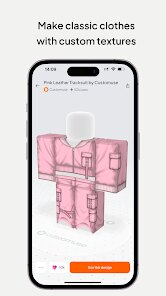
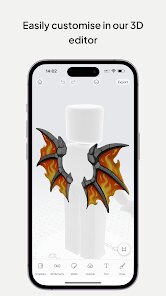
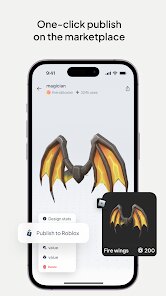
editor reviews
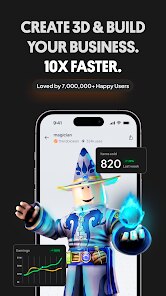
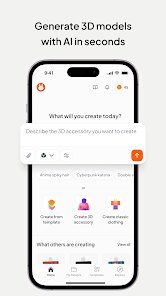
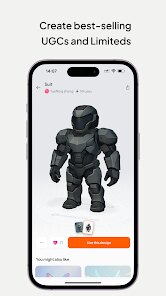
Customuse: Skins Maker Roblox is a design app that lets you create custom skins, outfits, and accessories for Roblox characters directly from your phone. It falls under the creativity and avatar customization category, so if you enjoy personalizing your Roblox look without spending hours in traditional editing software, this app gives you a more accessible alternative. You can download it for free on Google Play and the App Store, and once you install and launch it, the first impression is fairly clean and modern, though the sheer amount of templates and tools can feel a bit overwhelming at first. The app does include ads and offers in-app purchases for premium items or to skip waiting times, but you can still start creating without spending anything.
After opening the app, you go through a quick onboarding that shows you the basic gestures like dragging, resizing, and layering. The interface puts your canvas front and center, with toolbars along the bottom for colors, patterns, stickers, and text. A typical session starts by selecting a Roblox avatar template, then you pick a body part like the torso or legs to edit. From there, you can apply gradients, upload your own images, or use the built-in drawing tools to add details. One thing that caught me off guard is how easy it is to accidentally undo your work with a wrong swipe, so saving frequently becomes a habit fast. On the bright side, the app saves your projects locally, so you can come back later and tweak them. Exporting your skin for use in Roblox is straightforward, though the process sometimes takes a few tries if the app lags.
After using Customuse for a while, I think it works well for younger Roblox players or anyone who wants a quick, mobile-first way to make skins without stepping into more complex tools like Photoshop or even Roblox Studio. The main draw is convenience, since you can create on the go, but the free version can feel restrictive due to ads and the slow pace of unlocking better templates. Compared to apps like Roblox Avatar Editor or BTRoblox (a browser extension), Customuse focuses more on visual design flexibility rather than catalog browsing. You might keep it installed if you enjoy making themed outfits for your friends or your own avatar on a regular basis. On the other hand, if you only need one or two premade skins, the ads and limits may push you to uninstall it after a short trial.
features
- 🎨 Layer-based editing lets you stack multiple images, patterns, and text on top of each other, similar to how you would work in GIMP or a lighter version of Photoshop, but tuned for Roblox proportions.
- 📱 Direct export to Roblox is smooth once you log in with your Roblox account, and the app automatically formats your skin to fit the Roblox character rig, saving you the hassle of manual alignment.
- 🖼️ Custom image import from your gallery means you can add real-life patterns, logos, or even your own drawings, which opens up way more creative possibilities compared to Roblox's built-in avatar editor.
pros
- ✅ Easy to use on a phone: Unlike Roblox Studio which requires a PC, Customuse runs natively on mobile and has touch-friendly controls that feel intuitive after a short learning curve.
- ✅ Free to start: You can download and create your first few skins without paying, whereas similar apps like BTRoblox require browser extensions or extra tools to achieve the same editing depth.
- ✅ Large template library: Even in the free version, you get access to a decent variety of base templates and stickers, making it easier to start than from a blank canvas in a generic image editor.
- ✅ Regular updates: The developers push new seasonal templates and bug fixes fairly often, which keeps the app feeling fresh compared to some abandoned Roblox accessory editors out there.
cons
- ❌ Heavy ad presence: Every few actions you take, a fullscreen video ad pops up, which disrupts the flow when you are in the middle of fine-tuning a design, especially compared to the cleaner experience on Roblox Avatar Editor.
- ❌ Premium paywall limits: Many of the best templates, patterns, and tools are locked behind a subscription or one-time purchase, so free users often feel like they are stuck with basic options.
- ❌ Occasional lag and crashes: On older phones or when handling high-resolution images, the app can freeze or crash without saving your progress, which is frustrating compared to more stable tools like PicsArt.
- ❌ Export queue times: Even after you finish a skin, there is often a wait time before you can export it unless you watch an ad or pay, which feels overly restrictive for a creation app.
Articles
![]()
Guide
How to Update Google Play Store on Android 2026
![]()
Guide
How to Download Older Versions of Android Apps
![]()
Guide
How to Download Apps Without Google Play Store
![]()
Guide
What Is an APK File for Android?
If you use an Android phone, you may have seen the term APK while searching for apps or games online. Some websites offer an APK download instead of a Google Play install button. Some users also mention APK files when talking about apps that are not available in their region, older app versions, or Android games downloaded outside the Play Store.
![]()
Guide
How to Install Games from Google Play for Beginners
Installing games on an Android phone is usually simple, but for beginners, the process can still feel confusing at first. You may not know where to search, which button to tap, whether the game is safe, or why Google Play sometimes asks for account settings, storage access, or payment information. If you are using an Android phone for the first time, learning how to install games from Google Play is one of the easiest ways to get started.
![]()
Guide
How Useful Gemini Is for Everyday Questions and Quick Tasks
emini feels different from many AI apps because it is not only trying to be a chatbot. After using it for everyday questions, quick writing, image understanding, and planning, I think its biggest strength is convenience.
![]()
Guide
What to Know Before Downloading APKs
For many Android users, downloading an APK is a common way to install apps and games. Sometimes an app is not available in a certain country.
![]()
Guide
ChatGPT Review: Is It Still the Best AI App in 2026?
![]()
Guide
Seedance 2.0 vs Sora: The Future of AI Video Generation
The AI video race has intensified dramatically over the past two years. Platforms like Sora from OpenAI and Luma Dream Machine pushed the boundaries of text-to-video realism. Yet, despite their impressive outputs, most tools still operate as probabilistic generators—you describe a scene, and the model interprets it. Control remains limited. With the February 2026 release of Seedance 2.0, developed by ByteDance, the paradigm shifted. Internally known as Jimeng 2.0, Seedance does not position itself as just another video model. It positions itself as an AI Director. Rather than guessing what you want, Seedance 2.0 allows you to direct what happens. This distinction defines everything that follows.









Recommended Apps
![]()
Home Design 3D
Anuman4.2
![]()
Truth or Dare Game - Party App
Chouic4.8
![]()
Photo Collage Maker
Scoompa4.7![]()
Learn to Draw Flower
Creative APPS4.2![]()
FIFA World Cup 2026™
FIFA2.8![]()
Mirror Plus: Mirror with Light
Digitalchemy, LLC4.4![]()
Meitu- Photo Editor & AI Art
Meitu (China) Limited4.5![]()
Perplexity - Ask Anything
PerplexityAI4.7![]()
GhostTube SLS Camera Alternate
GhostTube4![]()
Boom Chip Blast: 2-Player
Black Pyramid 3D Games Studio0![]()
Healthy Benefits+
Solutran, Inc.4.5![]()
Deepcheck AI Search Assistant
rohe.ai4![]()
Idol Prank Video Call & Chat
LightCode Solutions4![]()
Face Shape - Pretty Scale
GlintTec Apps3.9![]()
Plant App - Plant Identifier
ScaleUp4.6












































