

Face Dance: AI Photo Animator

10M+
Installs
Codeway Dijital
Developer
-
Video Players & Editors
Category
-
Rated for 16+
Content Rating
-
facedance@codeway.co
Developer Email
-
https://storage.googleapis.com/static-assets.facedance.app/legal/facedance-privacy.html
Privacy Policy
Screenshots
editor reviews
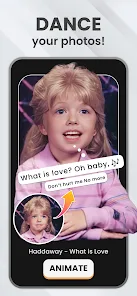
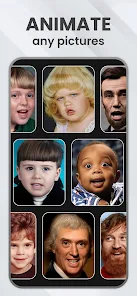
Face Dance: AI Photo Animator is an app that breathes life into static portraits by turning any uploaded face into a singing, dancing animated character. It's a novelty generator, squarely in the category of AI-driven entertainment tools. A casual user would download it from the App Store or Google Play—it's free to install with optional in-app purchases and ads—mostly out of curiosity. The moment you open it, the interface feels slick and modern, with a simple "Get Started" prompt that immediately asks for a selfie. There's no account registration needed, so your first impression is just pure, uncluttered fun: within seconds, you see your own face or a friend's face synced to a preset dance move. It feels like a party trick, and for many, that first laugh is enough to justify the install.
Once you actually use Face Dance, the experience is surprisingly straightforward. You upload a front-facing photo—ideally a clear one without obstructions or heavy shadows—and then you pick from a wall of animation templates. These range from pop songs to silly dance routines or even rap sequences. The app processes the face in a few seconds, mapping your facial features onto a pre-rendered body. Navigating is mostly intuitive: you swipe through templates, tap to preview, and then save or share the result. There's a small learning curve when you first crop a photo, but it's minor. I found that selecting a template with a clearer face in the preview made the end result look way less distorted. On the downside, some animations feel choppy if your photo has weird lighting or turned your head slightly. During daily use, you'll spend more time trying to find the perfect photo than actually animating it.
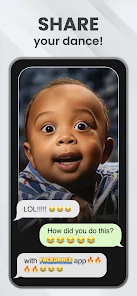
After tinkering with Face Dance for a few days, I can see why some people might keep it installed. If you love pranking friends on social media or making goofy meme content for group chats, this app is pure gold. The output is immediately shareable and rarely feels serious, so it's low-pressure fun. That said, if you're looking for something to use daily beyond a laugh, you'll probably get bored. The app doesn't offer many editing controls like background replacement or jaw-dropping realism, so its novelty fades fast compared to something like Reface, which feels more polished and offers various video overlays. Also, users who care about privacy might uninstall it after a few uses because you're handing over a clear face scan to an AI server. For me, it's a solid conversation starter but not something I keep on my home screen. You'll either use it once a month for a joke or just delete it after spamming your friends.
features
- 🤖 AI Motion Sync: Unlike traditional photo animators like Picsart Animator, Face Dance uses a dedicated AI that matches facial expressions dynamically instead of just applying a generic face swap. This makes the lip-syncing and eye movement feel surprisingly natural for a free app. It's a huge step up from older static animation tools.
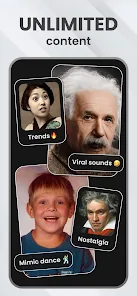
- 🎶 Template Library: The app offers a curated preset list of pop songs and dance routines that update regularly. Compared to something like Animate Anyone, Face Dance focuses more on viral-ready short clips rather than long-form content, making it quicker to jump into without heavy editing.
- 📱 No Login Required: You don't need to sign up for anything, which is rare for AI apps. Most similar tools, like some free meme generators, force you to create an account to save your videos. Face Dance just lets you shoot and share right away, which lowers the barrier to entry significantly.
- ⚡ Instant Preview Toggle: While processing, you can see a live preview that updates in real time without fully rendering the clip. This is better than apps like FaceOver that force you to wait through a full export before you realize the lighting was off on your photo.
pros
- 😄 Zero Learning Curve: The biggest strength is how beginner-friendly it is. You don't need video editing skills like in Adobe Character Animator; you just upload a face and pick a template. It's built for instant gratification.
- 📤 Seamless Social Sharing: Exporting feels instantly optimized for TikTok, Instagram Reels, and WhatsApp. You don't bump into watermark restrictions like in some free tools, making it a solid choice for casual content creators.
- 🆓 Generous Free Tier: They let you create several animations per day without paying. That's better than apps like Reface, which quickly gate good templates behind a subscription after a few tries.
cons
- 😑 Limited Facial Diversity: If you have a unique face shape, glasses, or beards, the animation often looks off. Competitors like Reface handle accessories better because they have a larger dataset for mapping.
- ⏳ Slow Export Times: Creating a 15-second clip can take over a minute on older phones, which feels sluggish compared to the near-instant output of simpler apps like Motionleap.
- 🔒 Privacy Concerns: The app process your face on its servers, and the privacy policy is vague about data retention. Compared to open-source tools, this feels less trustworthy for privacy-focused users.
- 💾 No Offline Mode: You can't use it without an internet connection, which is a dealbreaker if you have weak signal. Many photo editing apps offer offline basic features, but Face Dance is completely cloud-dependent.
Articles
![]()
Guide
How to Update Google Play Store on Android 2026
![]()
Guide
How to Download Older Versions of Android Apps
![]()
Guide
How to Download Apps Without Google Play Store
![]()
Guide
What Is an APK File for Android?
If you use an Android phone, you may have seen the term APK while searching for apps or games online. Some websites offer an APK download instead of a Google Play install button. Some users also mention APK files when talking about apps that are not available in their region, older app versions, or Android games downloaded outside the Play Store.
![]()
Guide
How to Install Games from Google Play for Beginners
Installing games on an Android phone is usually simple, but for beginners, the process can still feel confusing at first. You may not know where to search, which button to tap, whether the game is safe, or why Google Play sometimes asks for account settings, storage access, or payment information. If you are using an Android phone for the first time, learning how to install games from Google Play is one of the easiest ways to get started.
![]()
Guide
How Useful Gemini Is for Everyday Questions and Quick Tasks
emini feels different from many AI apps because it is not only trying to be a chatbot. After using it for everyday questions, quick writing, image understanding, and planning, I think its biggest strength is convenience.
![]()
Guide
What to Know Before Downloading APKs
For many Android users, downloading an APK is a common way to install apps and games. Sometimes an app is not available in a certain country.
![]()
Guide
ChatGPT Review: Is It Still the Best AI App in 2026?
![]()
Guide
Seedance 2.0 vs Sora: The Future of AI Video Generation
The AI video race has intensified dramatically over the past two years. Platforms like Sora from OpenAI and Luma Dream Machine pushed the boundaries of text-to-video realism. Yet, despite their impressive outputs, most tools still operate as probabilistic generators—you describe a scene, and the model interprets it. Control remains limited. With the February 2026 release of Seedance 2.0, developed by ByteDance, the paradigm shifted. Internally known as Jimeng 2.0, Seedance does not position itself as just another video model. It positions itself as an AI Director. Rather than guessing what you want, Seedance 2.0 allows you to direct what happens. This distinction defines everything that follows.









Recommended Apps
![]()
Home Design 3D
Anuman4.2
![]()
Truth or Dare Game - Party App
Chouic4.8
![]()
Photo Collage Maker
Scoompa4.7![]()
Learn to Draw Flower
Creative APPS4.2![]()
FIFA World Cup 2026™
FIFA2.8![]()
Mirror Plus: Mirror with Light
Digitalchemy, LLC4.4![]()
Meitu- Photo Editor & AI Art
Meitu (China) Limited4.5![]()
Perplexity - Ask Anything
PerplexityAI4.7![]()
GhostTube SLS Camera Alternate
GhostTube4![]()
Boom Chip Blast: 2-Player
Black Pyramid 3D Games Studio0![]()
Healthy Benefits+
Solutran, Inc.4.5![]()
Deepcheck AI Search Assistant
rohe.ai4![]()
Idol Prank Video Call & Chat
LightCode Solutions4![]()
Face Shape - Pretty Scale
GlintTec Apps3.9![]()
Plant App - Plant Identifier
ScaleUp4.6











































